Capture Anything. Find It Instantly. 100% Offline.
Stash is your personal, local-first knowledge base. Designed for developers, researchers, and power users who are tired of bookmarks rotting, cloud notes vanishing, or subscription services reading their private snippets.
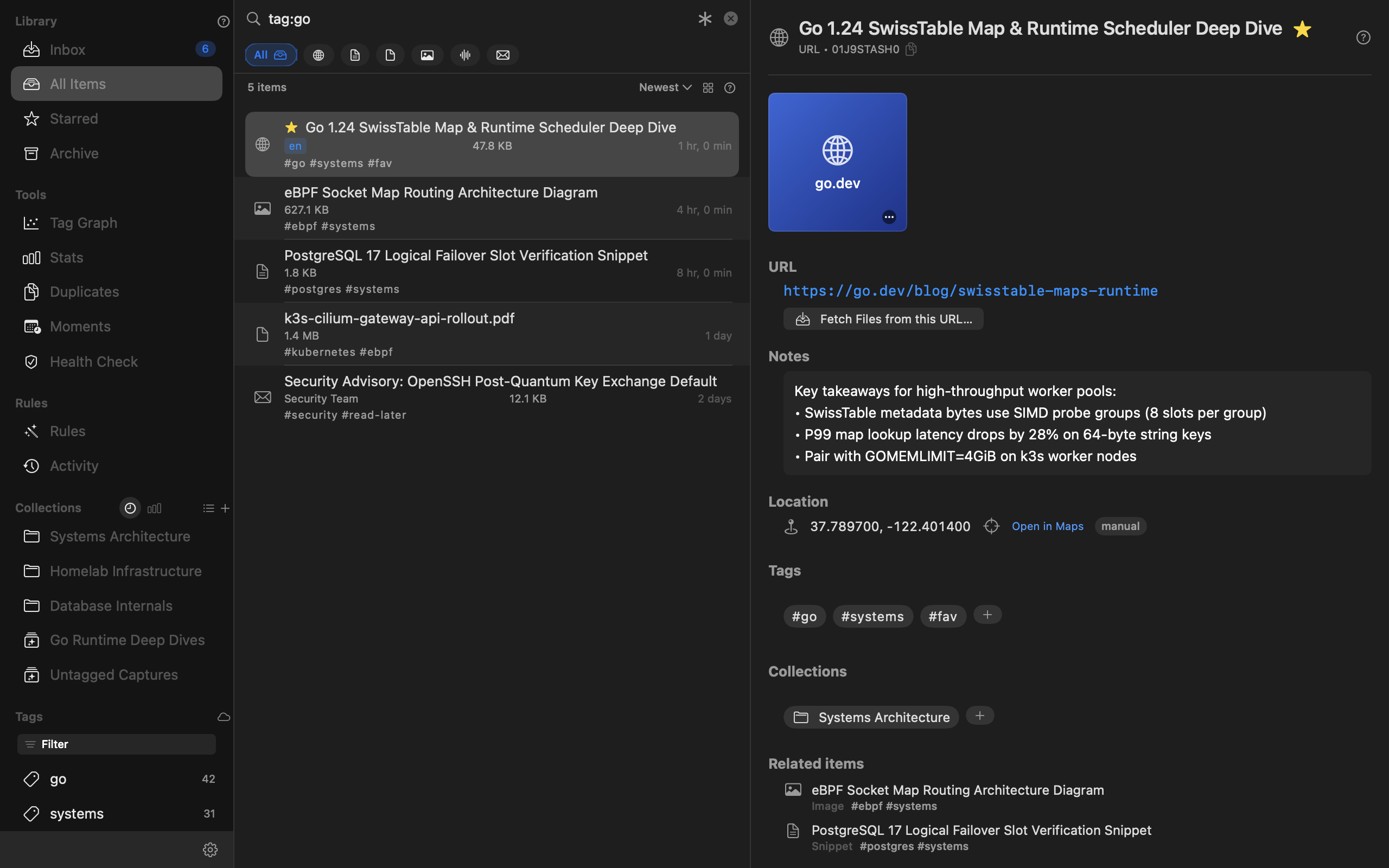
Stash pairs a native macOS SwiftUI frontend (stash-mac) with an ultra-fast Go CLI daemon (stash). Both share a local database and file archive under ~/.stash/.
Key Capabilities
1. Multi-Format Ingestion
- URLs & Bookmarks: Archive web links with automatic metadata extraction, title scraping, and reading-mode text distillation.
- Text Snippets & Notes: Code blocks, configuration fragments, command one-liners, and markdown notes.
- Files & Assets: Drop PDFs, images, and documents directly into Stash for permanent local archival.
- Emails: Ingest
.emlfiles or forward emails; Stash unwraps tracking URLs (like Outlook SafeLinks) and renders email bodies as clean Markdown.
2. Global ⌘K Quick-Search Overlay
- Press
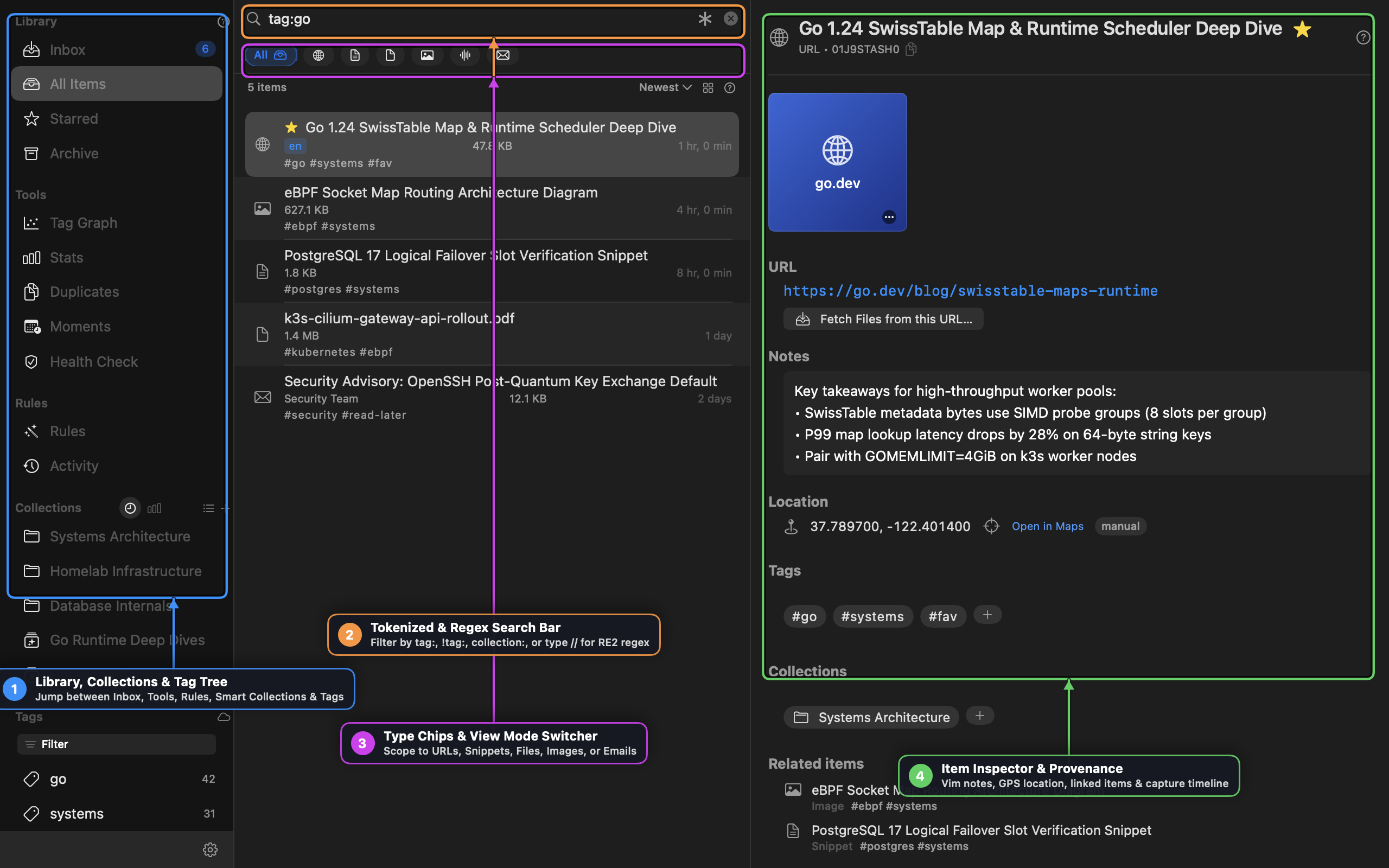
⌘Kfrom anywhere in the app to summon an instant spotlight-style search overlay with keyboard navigation. - Full-text search queries indexed across notes, tags, titles, and extracted document text.
3. Triage & Read-Later Queues
- Built-in
read-laterandwatch-latertriage tags keep your unread articles and videos separated from your permanent archive. - System Services integration: right-click any selected text in Safari, Chrome, Mail, or Finder and choose “Stash Selection” or “Read Later”.
4. Browser Importers
- Native three-phase import wizard: pull existing bookmarks or history from Safari, Chrome, Edge, Brave, Arc, Firefox, or Raindrop CSV.
- Automatic duplicate detection prevents cluttering your vault with URLs you’ve already stashed.
Documentation & Guides
Comprehensive documentation and visual step-by-step walkthroughs are available in our Documentation Hub:
- 📖 Stash User Guide & Visual Walkthrough — Complete visual guide to the three-pane library workbench, unified triage inbox, tokenized & RE2 regex search, capture rules, Moments clustering, and Audio X-Ray remixing.
- 🍳 Practical Cookbook & Knowledge Recipes — Step-by-step recipes for PDF invoice extraction with named regex groups, keyboard-first RSS/Atom triage, Moments clustering, and Vim/slash note workflows.
Installation
$ brew tap tanagersoftware/tap
$ brew install stash