Turn Chaotic Operations into Repeatable Code
Incident response, server migrations, backup verification, and weekly maintenance should never rely on copy-pasting commands from scratchpads.
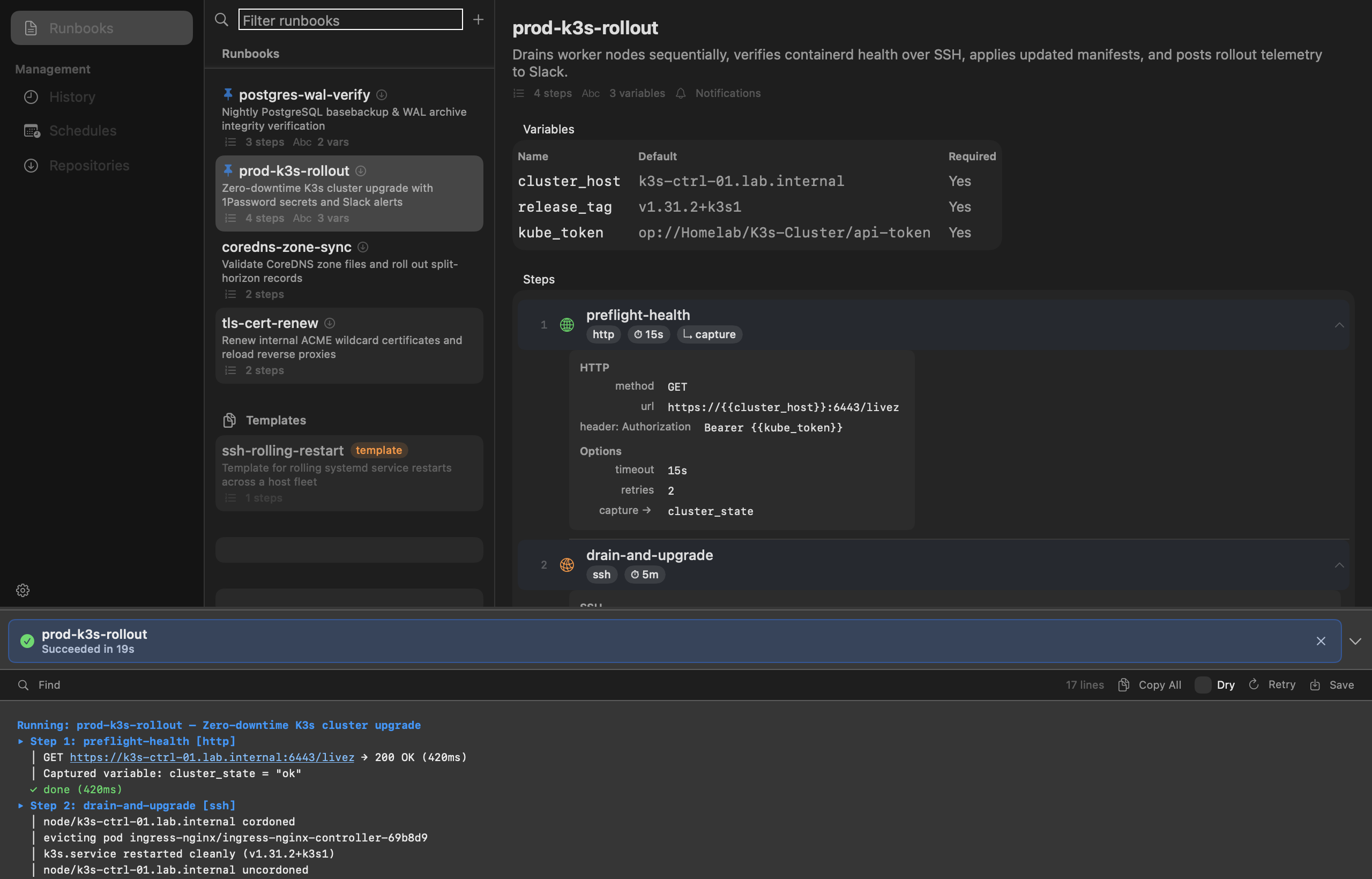
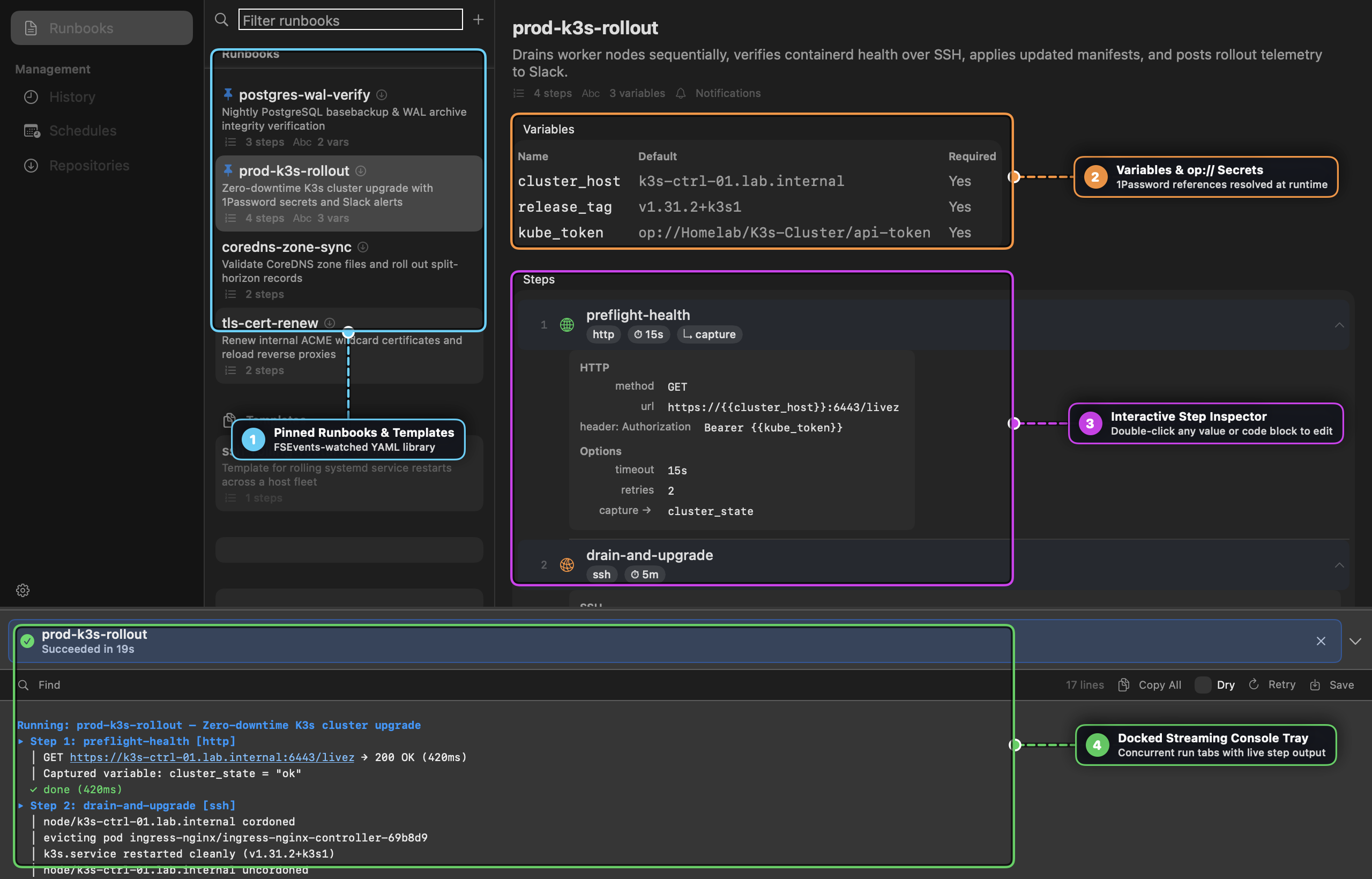
Runbook is an operational orchestration tool designed for developers and system administrators. It couples a declarative YAML runbook engine with a native macOS SwiftUI cockpit (runbook-mac) for browsing, reviewing parameter diffs, and watching multi-step automations execute in real time.
Key Capabilities
1. Three-Panel Native Desktop Layout
- Sidebar: Categorize runbooks by environment (Production, Homelab, Staging, Maintenance).
- Runbook List: Fast search with tag filters, run history timestamps, and step counts.
- Detail View & YAML Editor: View steps, variables, and runbook definitions with syntax-highlighted YAML and live validation.
2. Multi-Step Orchestration
- Local Shell Commands: Run shell scripts with output capture and error-handling policies (abort, continue, retry with backoff).
- Remote SSH Execution: Execute commands across remote servers via SSH agent authentication or per-host keypairs.
- HTTP/REST Requests: Ping health endpoints, invoke webhooks, or query REST APIs with Go template variable expansion.
- Data Piping: Pass output values from early steps as input parameters into subsequent steps.
3. Native 1Password Secret Integration
- Reference sensitive credentials securely in YAML using standard
op://URIs (e.g.op://Private/Postgres/password). - Secrets are dynamically resolved through the 1Password CLI and cached in your macOS Keychain—never hardcoded in plain text.
4. Interactive Console Tray & History
- Real-time streaming logs as steps execute.
- Per-run history with execution duration, exit codes, and diff comparisons.
Documentation & Guides
Comprehensive documentation and visual step-by-step walkthroughs are available in our Documentation Hub:
- 📖 Runbook User Guide & Visual Walkthrough — Complete visual guide to the three-panel workbench, non-modal streaming console tray, modal Vim YAML editor with LCS diff review, and serpentine
StepFlowCanvas. - 🍳 Practical Cookbook & Automation Recipes — Step-by-step recipes for zero-downtime rollouts with
op://secrets, dry-run tray retries, cron scheduling with--varoverrides, and post-incident log slicing.
Installation
$ brew tap tanagersoftware/tap
$ brew install runbook