Reclaiming Your Job Search from Cloud Bloat
Modern job hunting is fragmented across endless tabs, spreadsheets, generic web portals, and recurring subscription trackers. Recruit takes a fundamentally different approach: it is a fast, native, local-first application built strictly for macOS and terminal power users.
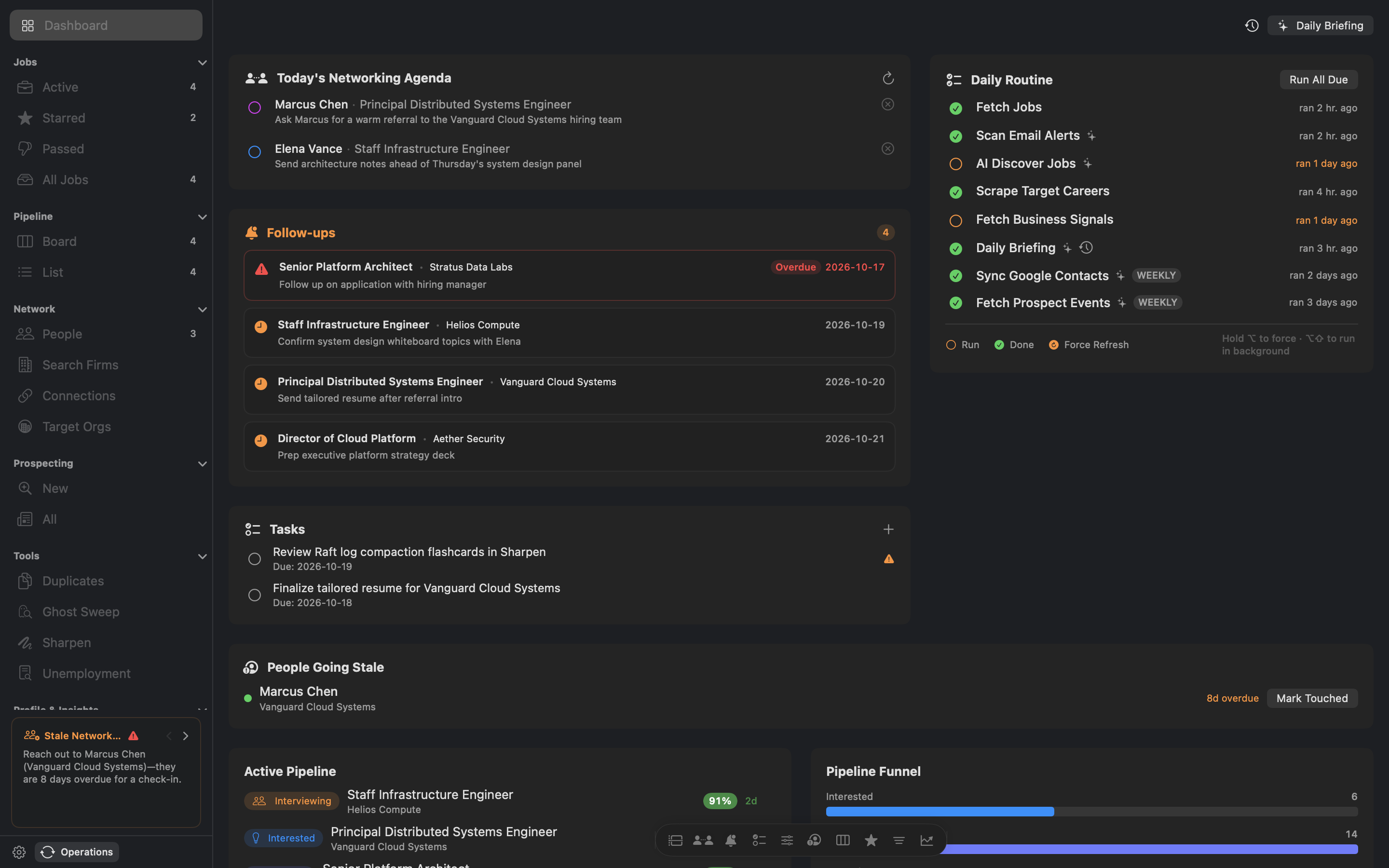
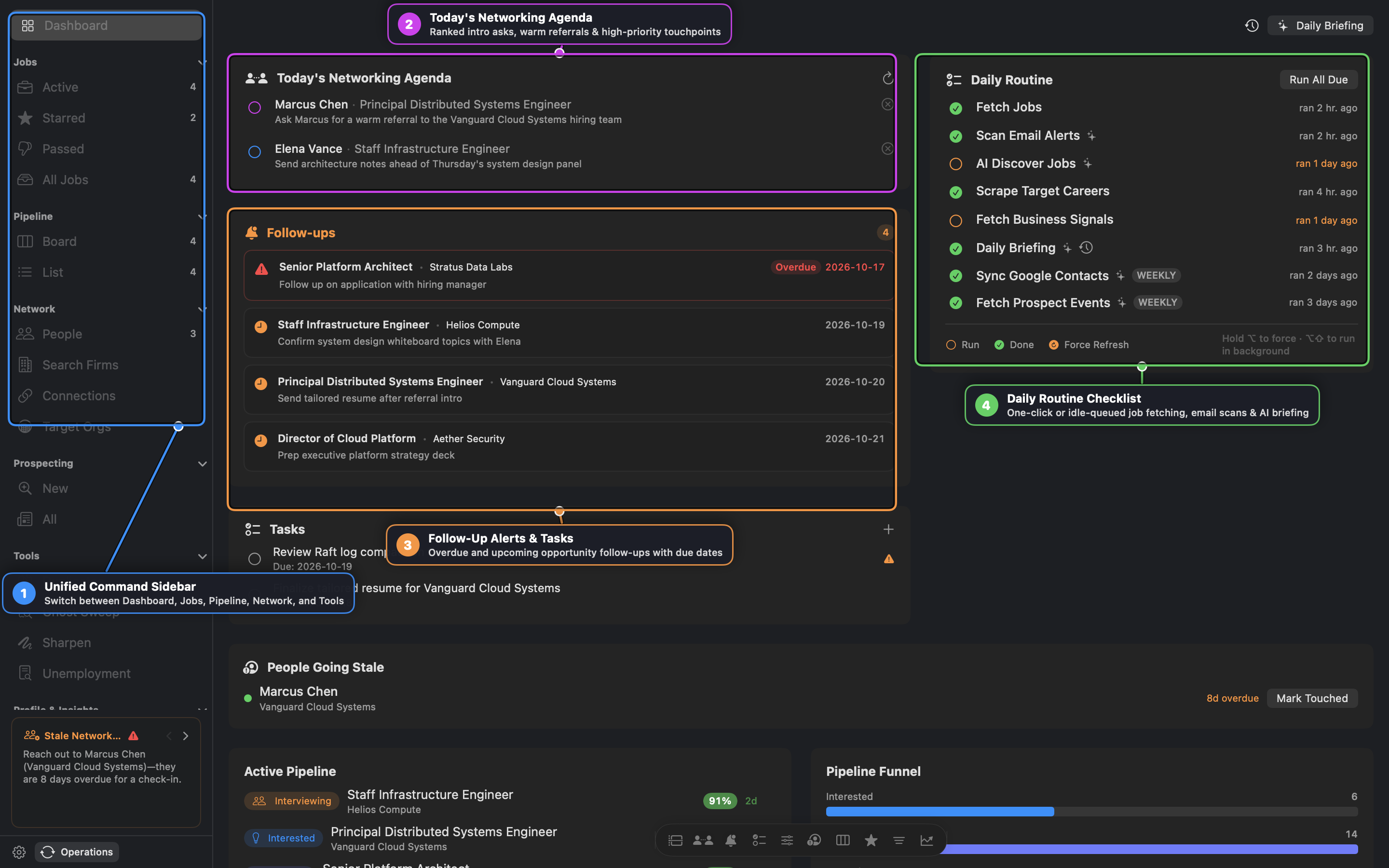
Recruit couples a responsive SwiftUI interface (recruit-mac) with a scriptable Go CLI daemon (recruit). Both operate concurrently against a single SQLite database (~/.recruit/recruit.db) stored on your local SSD. No remote server tracks your applications, no third party parses your resume, and your interview notes never leave your computer.
Key Capabilities
1. Kanban Pipeline & Networking CRM
- Visual Kanban Board: Move opportunities across stages (Identified, Applied, Screening, Interviewing, Offer, Archive) with smooth drag-and-drop.
- Relationship Cadence: Organize your network into tiers (Close: 30d, Regular: 90d, Weak: 180d, Cold: 365d). The daily dashboard alerts you when contacts go stale.
- Target Contact Discovery: Leverage search-grounded AI to identify engineering managers, team leads, and recruiters at target companies directly from job descriptions.
2. Live Interview Recording & On-Device Neural Transcription
- Dual-Track Audio Capture: Records your microphone (
candidate_mic.wav) alongside inbound interview audio (inbound_system.wav) via Apple’s ScreenCaptureKit framework. - Apple Silicon Neural Engine: Transcribes conversations locally on your Mac’s NPU using
SFSpeechRecognizer. No third-party API or audio upload required. - Automated Debriefs: Instantly summarizes interview questions, discussion points, and follow-up tasks into structured Markdown linked directly to the opportunity record.
3. Personal Style Blueprint & AI Detector
- Continuous Style Distillation: Rate generated cover letters and outreach emails (1–5 stars) with feedback on tone, brevity, and impact. Recruit synthesizes durable personal directives that guide future generations.
- Real-Time AI Marker Detection: Scans text for robotic AI phrases and cliches. Highlights warnings live in both standard and Vim modal editor views with one-click inline replacements.
4. Unemployment Outreach Tracker (UOT)
- Built-in Compliance Logging: Track required weekly activities, direct employer contacts, and submission confirmation numbers.
- State Auditing Support: Export verified activity logs formatted for state reporting requirements.
5. Embedded SQL Console & Interactive ERD Diagram
- Direct Database Querying: Write SQL with auto-completion for tables and columns, query plan explanations (
EXPLAIN QUERY PLAN), and history tracking. - Force-Directed Schema Visualizer: Explore foreign keys and tables with interactive physics, zoom, and panning.
Documentation & Guides
Comprehensive documentation and visual step-by-step walkthroughs are available in our Documentation Hub:
- 📖 Recruit User Guide & Visual Walkthrough — Complete visual guide to the Dashboard, tokenized job triage, AI fit scoring, Pipeline Kanban & 11-milestone Stage Playbook, and Executive Network Leverage CRM.
- 🍳 Practical Cookbook & Career Recipes — Step-by-step recipes for idle-queued daily routines, zero-fabrication resume packaging, warm referral unlocking, and WhisperKit voice coaching.
- ⌨️ CLI & Daemon Reference — Complete command syntax for
recruitandrecruitd.
Technical Specifications
| Component | Architecture & Details |
|---|---|
| Desktop Client | Native SwiftUI (macOS 14 Sonoma & macOS 15 Sequoia) |
| CLI & Daemon | Compiled Go (ARM64 / x86_64) |
| Database | SQLite 3 (~/.recruit/recruit.db) with WAL mode |
| AI Providers | Google Gemini (Free & Paid Tiers) & Anthropic Claude |
| Credentials | Stored securely in macOS Keychain (com.tanager.recruit) |
| Browser Bridges | Native Messaging Host for Safari, Chrome, Arc, Brave, and Edge |
| Audio Pipeline | CoreAudio DSP + ScreenCaptureKit + Apple Neural Engine |
Installation & Getting Started
Option 1: macOS Desktop Application (.dmg)
Download the latest universal build (Recruit.dmg) from our releases portal:
Download Recruit.dmg (Universal)
Drag Recruit.app into your /Applications folder and launch.
Option 2: Homebrew Installation
Install the unified package (macOS App + CLI binary):
$ brew tap tanagersoftware/tap
$ brew install recruit
$ recruit status --all
Roadmap & Monetization Note
Recruit is actively maintained and hardened through community feedback during the current v0.9 beta phase. Future v1.0 releases will introduce commercial licensing options for specialized features and team synchronization, but the core local-first foundation and generous standalone capabilities will always remain respectful of your workflow.
If you find a bug or have feedback, please reach out via hello@tanager.dev or file an issue in our tracking system.