Fast, Native API Testing Without the Cloud Bloat
Modern API clients have morphed into bloated Electron web wrappers that demand team logins, sync private tokens to third-party clouds, and take hundreds of megabytes of RAM just to test a single POST request.
Post is built the Apple-native way: pure Swift 6 and SwiftUI. It starts in under 100 milliseconds, respects system appearance, stores all collections in plain JSON files on your disk, and includes built-in tooling for modern Model Context Protocol (MCP) workflows.
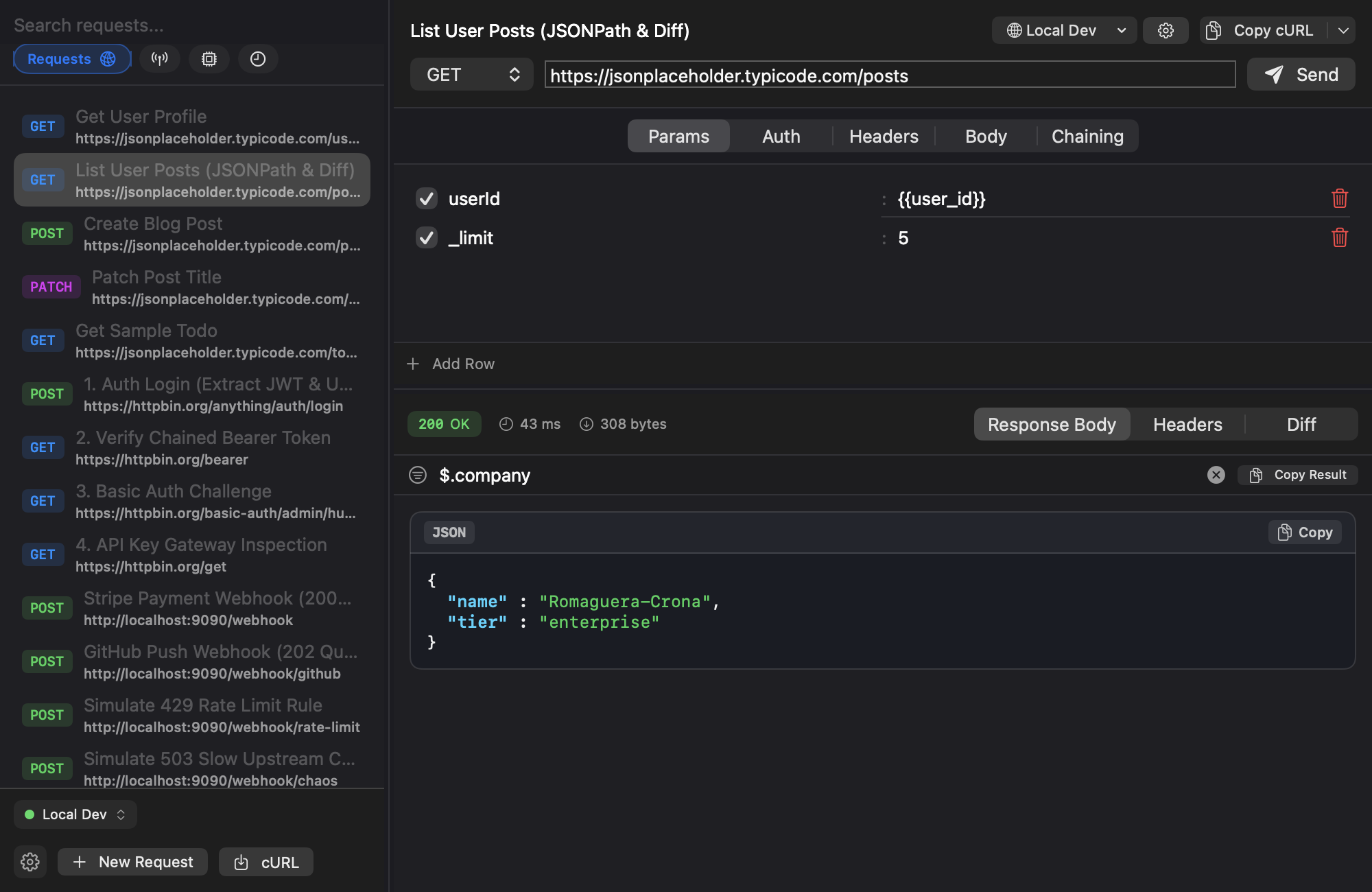
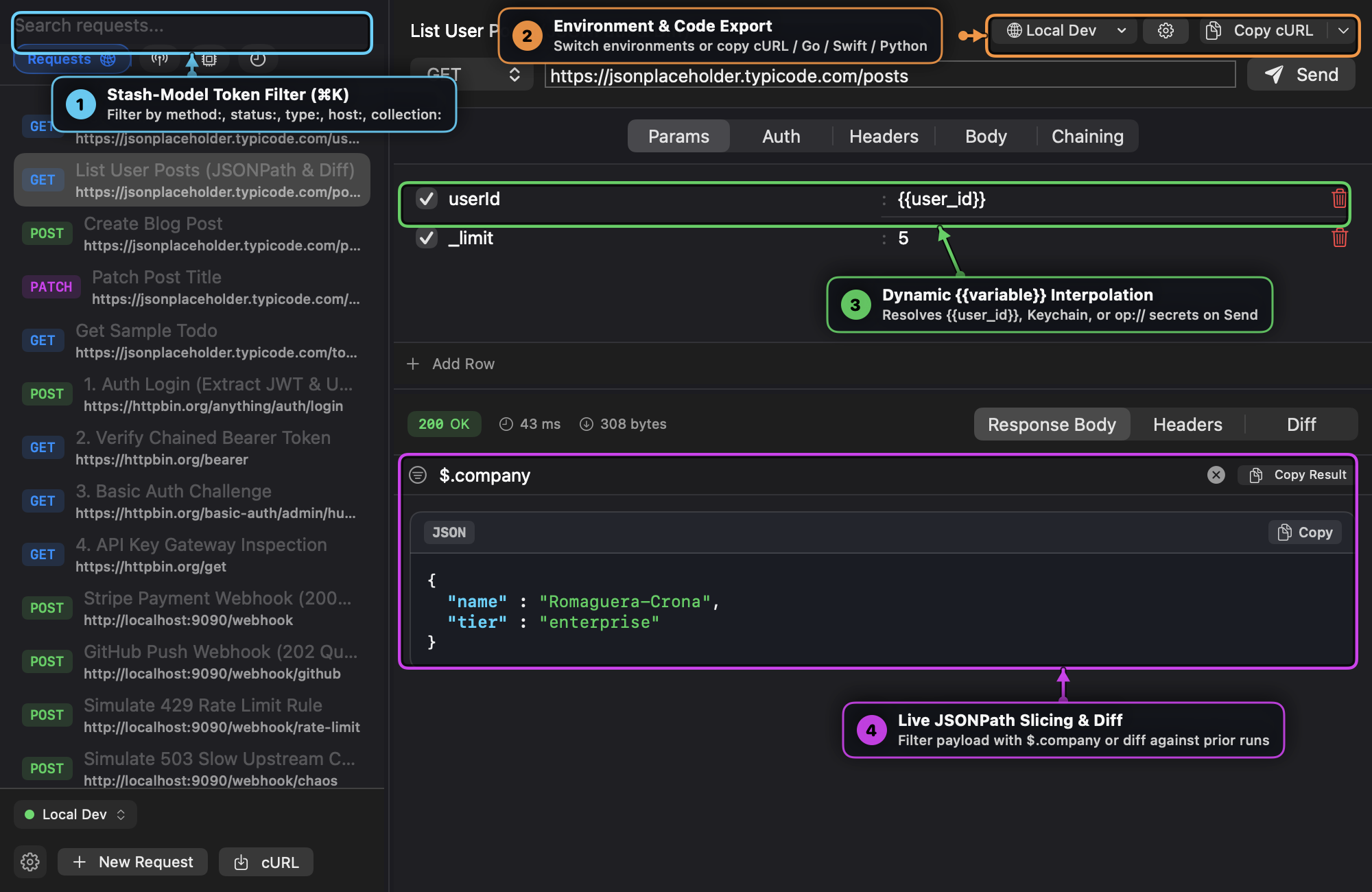
Key Capabilities
1. High-Performance HTTP Workbench & Code Export
- Craft
GET,POST,PUT,PATCH,DELETErequests with dynamic URL query parameters, headers, and form-data or raw JSON bodies. - Native syntax highlighting, pretty-printing, and dynamic-growth slash commands (
/json,/graphql,/uuid,/timestamp). - Optional Vim mode with subtle
:_toggle, modal indicator, and dynamic first-line column exclusion. - Multi-language export: Generate idiomatic Go (
net/http), Swift (URLSession), Python (httpx), and cURL snippets in one click.
2. Isolated Environments, Keychain & 1Password (op://) Secrets
- Organize requests into hierarchical collections and environments (
Local Dev,Production,HomeLab,HTTPBin Sandbox). - Variable substitution syntax:
{{base_url}}/api/v1/resource. - macOS Keychain: Click the lock icon (
🔒) to encrypt sensitive tokens in the system Keychain (kSecClassGenericPassword), keeping plain text out of disk files. - 1Password Integration: Paste
op://Vault/Item/fieldsecret references directly into values for Touch ID authentication without storing raw tokens in the app.
3. Dedicated Auth Presets & Zero-Copy Response Chaining
- Auth presets for Bearer Token, Basic Auth, and API Key (Header or Query Param).
- Extract session tokens from login response bodies using JSONPath (e.g.
$.access_token→jwt_token) to automatically authenticate downstream requests without manual copy-paste.
4. Model Context Protocol (MCP) Tool Inspector (HTTP/SSE & stdio)
- Direct integration with local MCP servers via HTTP / SSE and native
stdiosubprocesses. - Discover exposed tools, resources, and prompt templates from local AI agents and MCP daemons.
- Schema-Driven Forms: Automatically generate typed forms with validation from tool input schemas, or switch to Raw JSON.
- 1-click import from Claude Desktop, Cursor (
~/.cursor/mcp.json), and AGY (~/.gemini/antigravity-cli/mcp/).
5. Local Webhook Receiver, Mock Rules & Live Replay
- Spin up an ephemeral local HTTP webhook receiver on
:9090with one click. - Capture incoming payloads from Stripe, GitHub, or internal microservices in real time.
- Mock & Chaos Testing: Configure route prefixes to return custom status codes (
200,202,429,503), inject artificial latency (ms), and auto-forward payloads. - Replay captured webhooks against local development servers or convert them into saved workbench requests.
6. JSONPath Slicing & LCS Response Diffing
- Live dot/bracket JSONPath query bar (
$.items[0].id) to slice large JSON payloads and copy matched fragments. - Line-by-line visual response diffing comparing current execution against historical baselines with added (
+) and removed (-) highlighting.
Documentation & Guides
Comprehensive documentation and visual step-by-step walkthroughs are available in our Documentation Hub:
- 📖 Post User Guide & Visual Walkthrough — Complete manual covering workbench setup, environments, Keychain & 1Password secrets, auth chaining, webhooks, and the MCP inspector.
- 🍳 Practical Cookbook & Recipes — 7 practical recipes for multi-environment secrets, auth chaining, chaos testing, MCP server auditing, and code generation.
- Source Code on GitHub — Star the repo, audit Swift sources, or submit issues.
Installation
$ brew tap tanagersoftware/tap
$ brew install post