Visibility Over Your Local Infrastructure
Whether you are managing a homelab rack of Proxmox VE hypervisors, Raspberry Pi clusters, Docker containers, or an IoT ecosystem with Home Assistant, Drifter gives you instant visibility into what is online, what services are exposed, and what has changed over time.
Unlike enterprise network scanners that require invasive root background daemons or upload your local network topology to the cloud, Drifter runs strictly as a native Swift desktop app on your Mac.
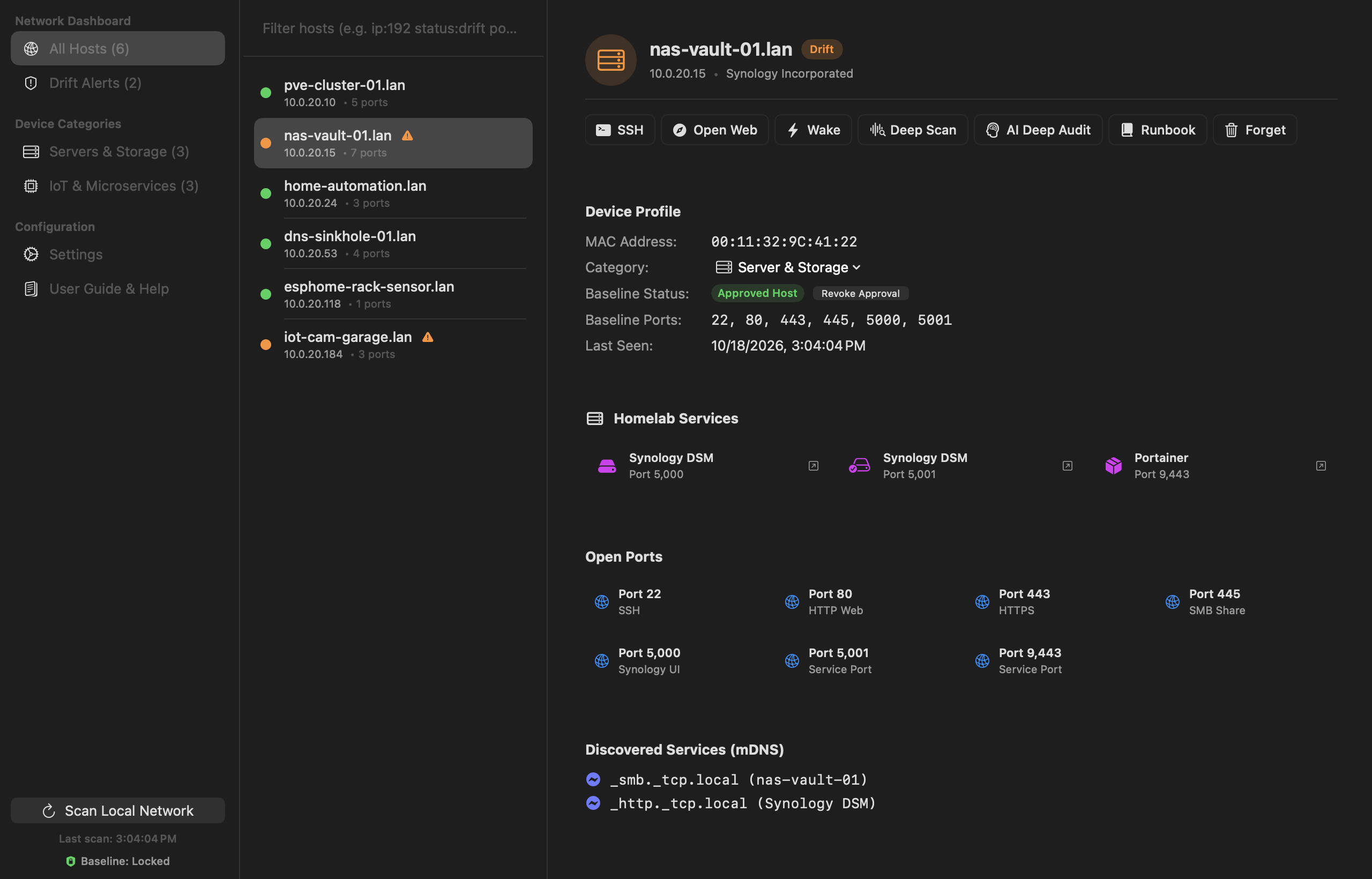
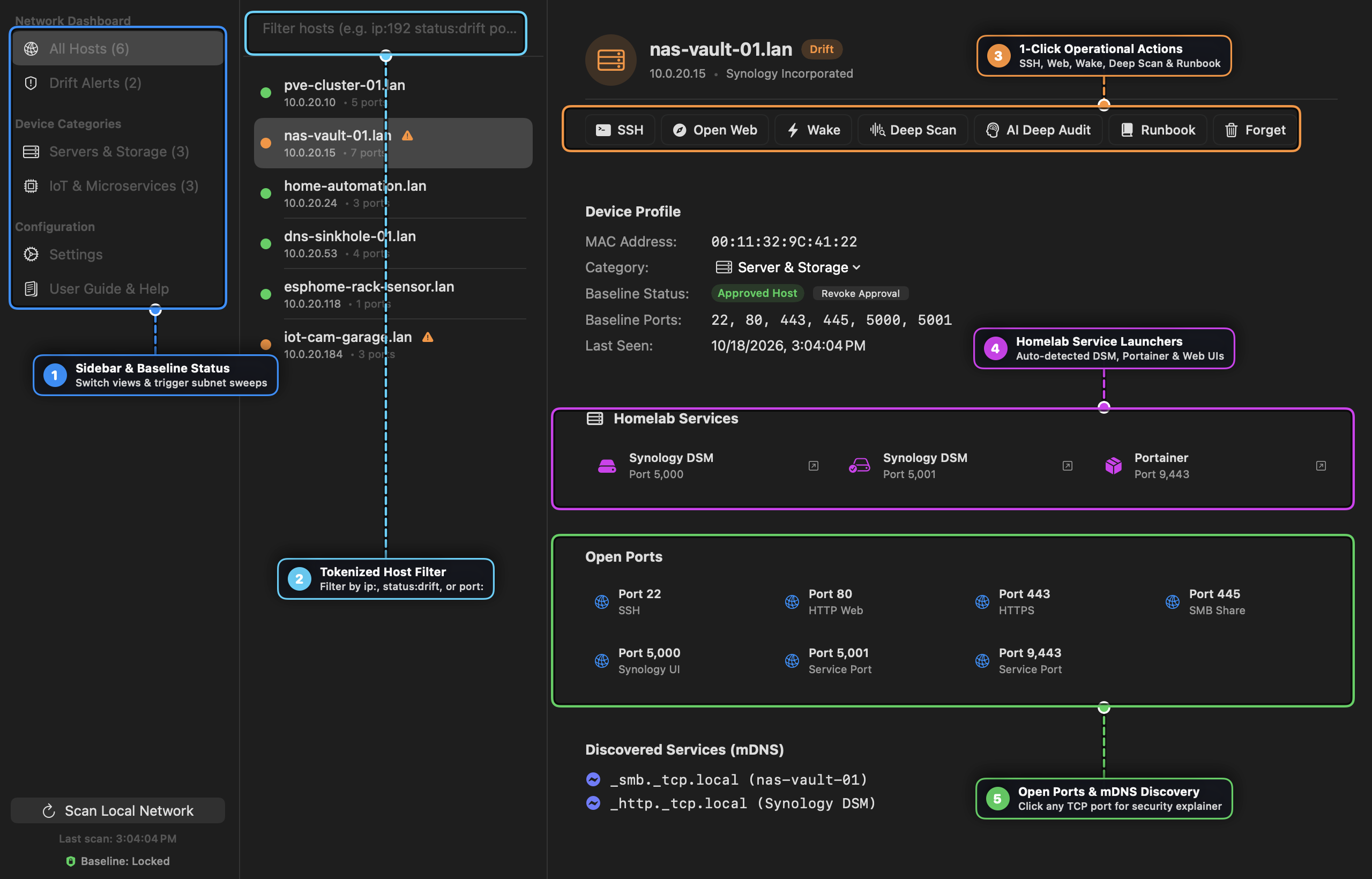
Key Capabilities
1. Zero-Root Subnet Scanning
- Fast, non-privileged TCP connect scanning across
/24and custom CIDR ranges. - Parallelized network workers that scan hundreds of IP addresses in seconds without bogging down your local Wi-Fi or router.
- Smart ping heuristics that detect live hosts while respecting firewall rules.
2. mDNS & ZeroConf Service Discovery
- Automatically enumerates local Bonjour and mDNS services advertising on your network (
_http._tcp,_ssh._tcp,_homeassistant._tcp,_airplay._tcp,_printer._tcp). - Discovers microservices and web management consoles before you even check your DHCP leases.
3. Port & Service Drift Detection
- Compares current scan results against historical baselines.
- Flags unexpected open ports, newly appeared devices, or dropped critical services with clear visual diff indicators.
- Helps identify misconfigured Docker container port forwards and rogue IoT hardware immediately.
4. Hardware Vendor Resolution
- Built-in IEEE OUI database maps MAC addresses to hardware manufacturers (Apple, Raspberry Pi Foundation, Ubiquiti, Espressif, Intel) offline without internet lookups.
Documentation & Guides
Comprehensive documentation and visual step-by-step walkthroughs are available in our Documentation Hub:
- 📖 Drifter User Guide & Visual Walkthrough — Complete visual manual covering subnet ARP sweeps, port drift alerts, mDNS/Bonjour service browsing, 1Password SSH, Runbook dispatch, and the AI Security Advisor.
- 🍳 Practical Cookbook & Security Recipes — Step-by-step recipes for zero-trust homelab baselining, rogue IoT detection, incident triage, and GitOps compliance reports.
Technical Specifications
| Specification | Details |
|---|---|
| Platform | macOS 14.0+ (Sonoma) and macOS 15.0+ (Sequoia) |
| Architecture | Universal Binary (Apple Silicon M-series & Intel x86_64) |
| Frameworks | Swift 6, AppKit, SwiftUI, Network.framework |
| Security | 100% user-space, zero root privileges required |
| Privacy | 100% offline; zero telemetry or external network calls |
Installation
Option 1: Desktop Application (.dmg)
Download the latest universal release from GitHub:
Download Drifter.dmg (Universal)
Option 2: Homebrew
$ brew tap tanagersoftware/tap
$ brew install drifter