Anonymark
Pixel-matched screenshot anonymizer with synthetic in-place CoreText replacement for IPs, MACs, hostnames, and tokens.
Overview
Anonymark is a native Go and macOS Vision/CoreText CLI utility for capturing and anonymizing screenshots with pixel-matched synthetic data replacement.
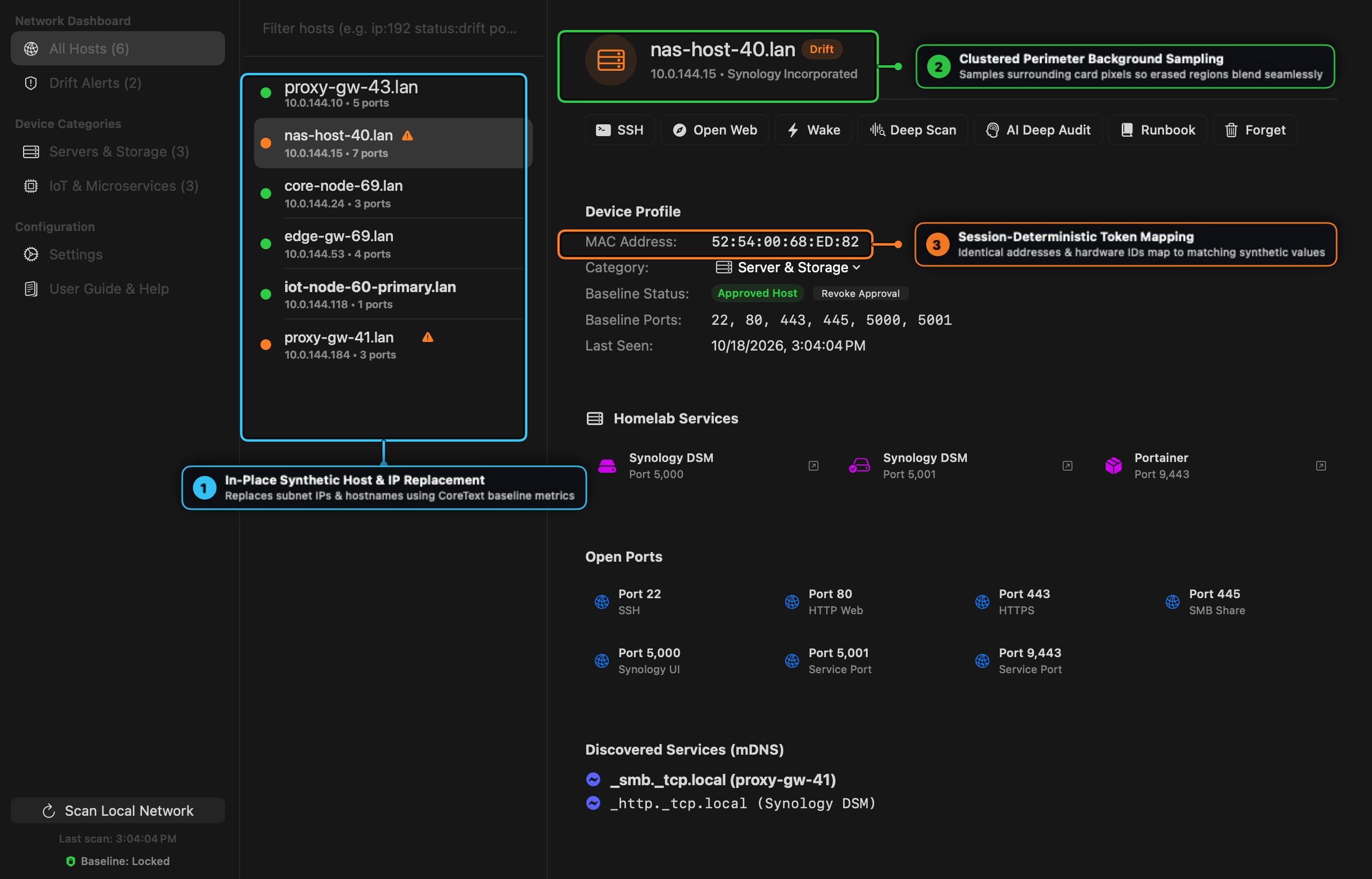
Instead of obscuring UI layouts with black redaction bars or coarse pixelation, anonymark samples the surrounding perimeter background color cluster, measures glyph ink height and font weight, and renders realistic synthetic replacements for private IPv4 addresses, MAC addresses, hostnames, user paths, and tokens directly on the original typographic baseline.
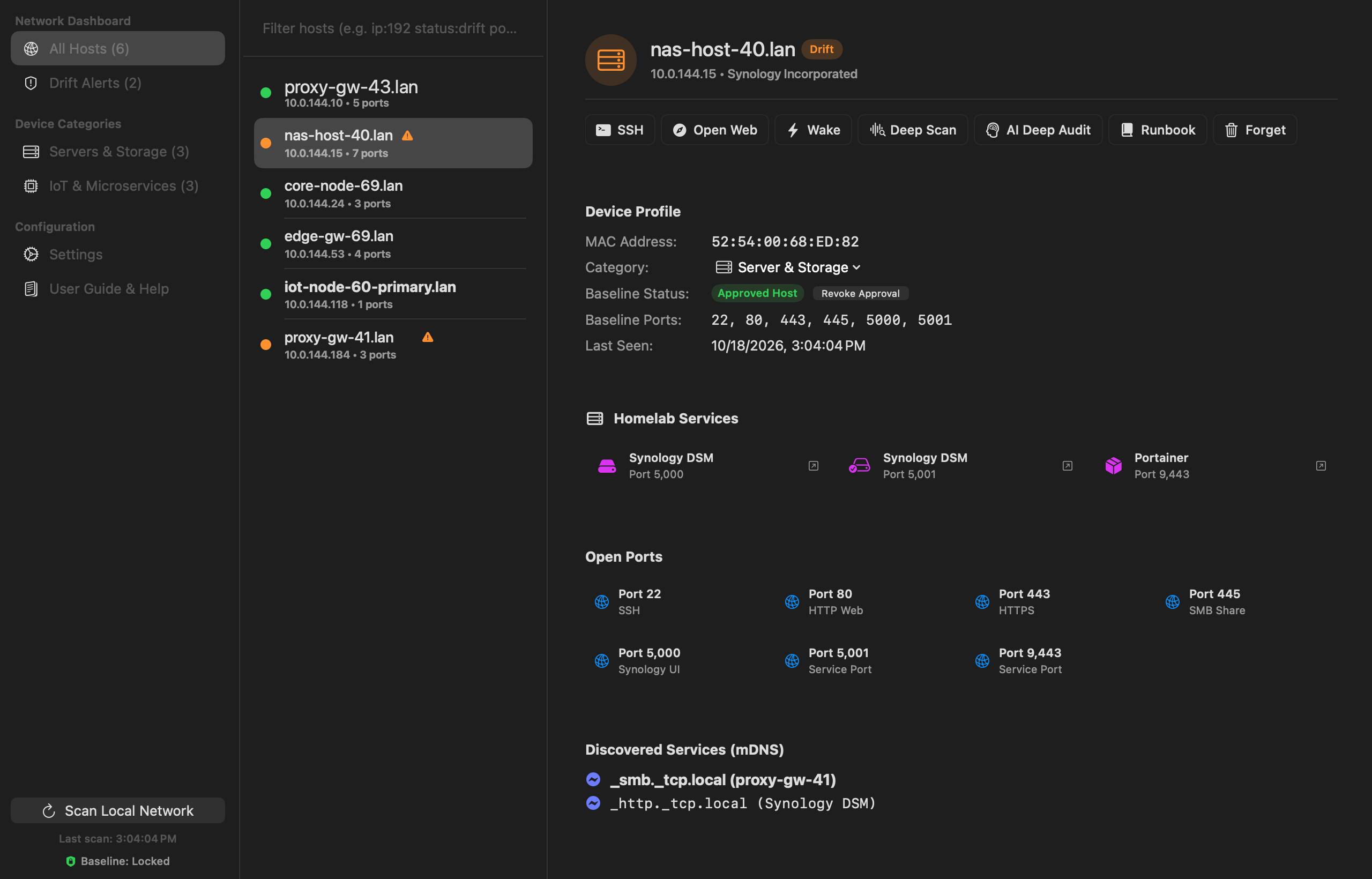
Documentation & Guides
- Anonymark Documentation Hub — Overview and quick reference.
- User Guide & Visual Walkthrough — Deep dive into the 5-stage Vision OCR + CoreText rendering pipeline, clustered background sampling, and redaction modes (
synthetic,pill,blur). - Practical Cookbook & Recipes — Step-by-step recipes for interactive capture, batch sanitization, compliance pill redaction, and macOS clipboard hotkeys.
Features
- Pixel-Matched Synthetic Replacement (
-mode synthetic): Replaces private IPv4 addresses, MAC addresses,.lan/.localhostnames, device names (nas-*,pve-*,dns-*,iot-*),/Users/<name>paths, emails, and API tokens in-place using matching colors, font weights, and CoreText baseline geometry. - Clustered Perimeter Background Sampling: Samples the 2px exterior ring around each target region and selects the dominant color cluster so erased regions blend seamlessly into dark-mode cards and row selection highlights.
- Column Snapping & Width Clamping: Aligns vertically stacked list rows to a shared left X coordinate and point size, and clamps replacement width so synthetic text never collides with adjacent UI badges.
- Session-Level Consistency: Deterministically maps identical sensitive values across the image so documentation and tutorials remain coherent.
- Interactive macOS Capture: Launches the native macOS selection overlay (
screencapture -i) directly from your terminal. - Multi-Mode Support: Supports
synthetic(default),pill, andblurredaction styles. - 100% Offline & Private: Runs strictly on-device with zero external network calls or cloud dependencies.
Installation
$ brew tap tanagersoftware/tap
$ brew install anonymark
Usage
Capture an interactive screen region and anonymize it immediately:
$ anonymark capture -out clean-screenshot.pngOr process an existing screenshot file in synthetic or pill mode:
$ anonymark process input.png -out output.png -mode synthetic
$ anonymark process input.png -out redacted.png -mode pill