Stash Practical Cookbook & Recipes
Step-by-step practical recipes and power workflows for Stash.
This cookbook provides step-by-step, copy-pasteable workflows for automating capture rules, triaging technical feeds, querying your library with RE2 regular expressions, clustering moments with on-device Apple Vision, and remixing multi-track audio recordings.
View on GitHub 📖 Open User Guide →
Recipe 1: Auto-Filing PDF Invoices with Named Regex Capture Groups
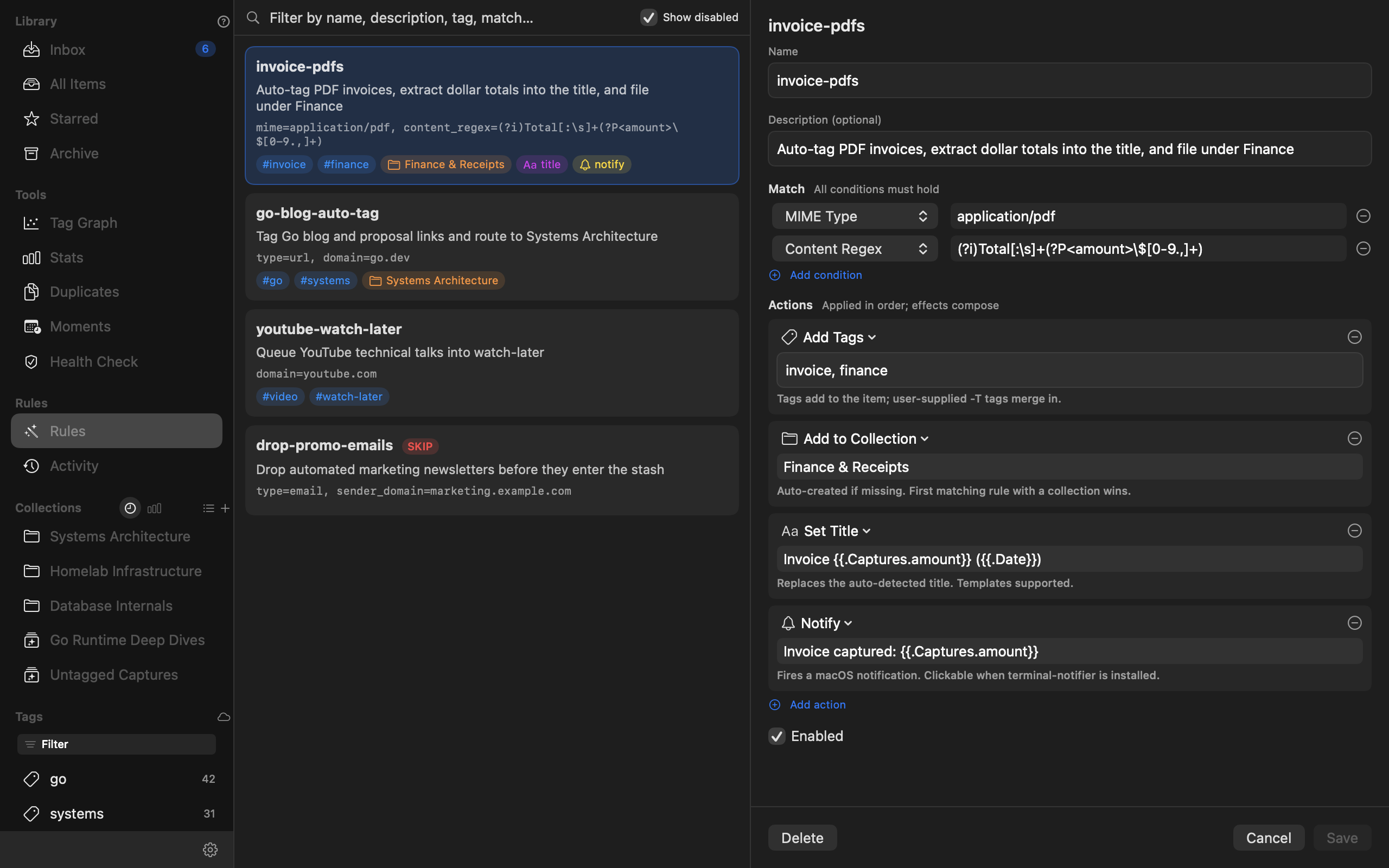
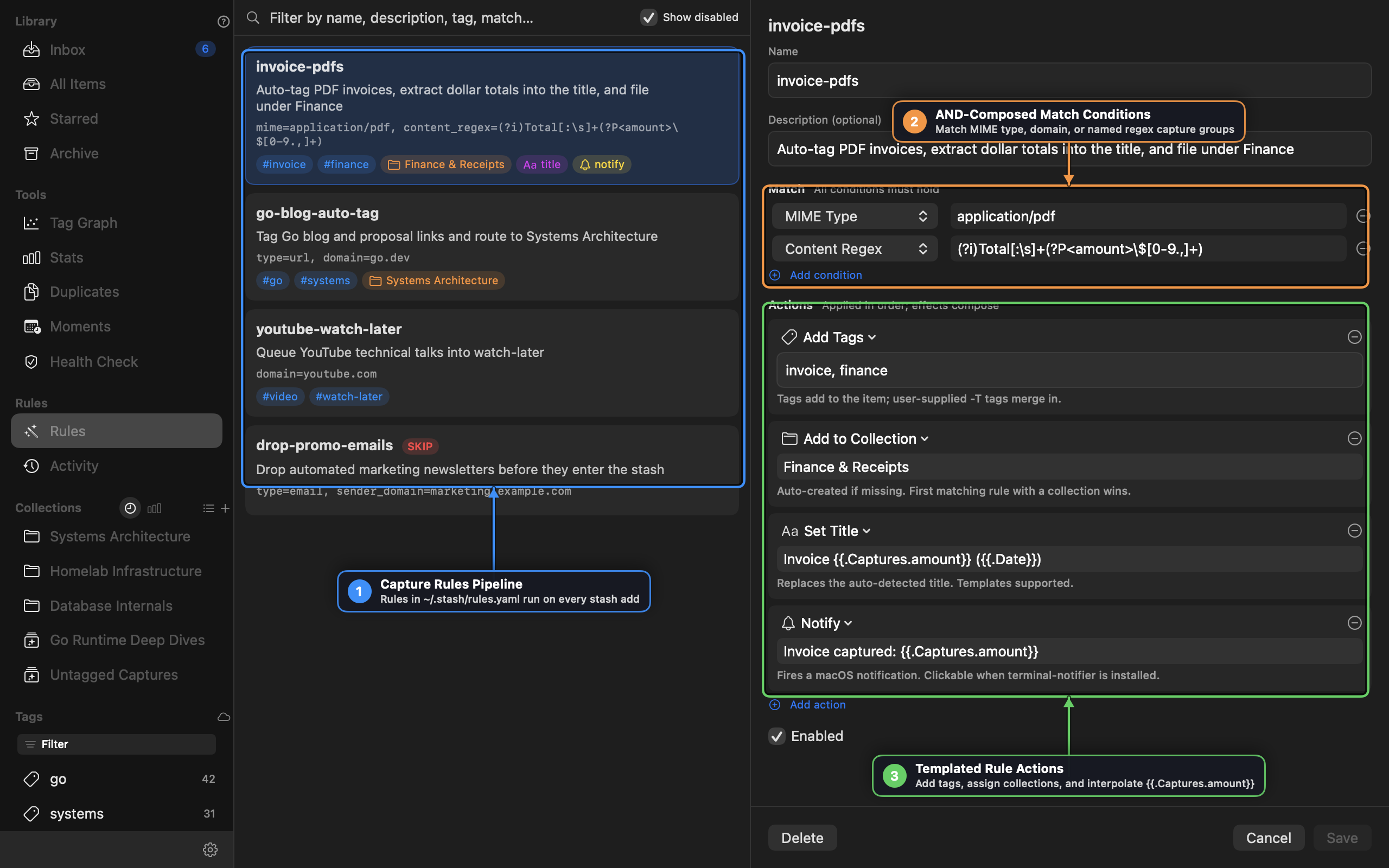
Use Stash’s Capture Rules Engine (~/.stash/rules.yaml) to inspect every dropped PDF, extract the invoice dollar amount using a named RE2 capture group ((?P<amount>...)), rewrite the item title dynamically, file it under Finance & Receipts, and fire a macOS notification.
Steps
- Click Rules in the left sidebar and click
+to create a new rule (or toggle YAML View to edit~/.stash/rules.yamldirectly). - Add the following rule definition:
- name: invoice-pdfs
  description: Auto-tag PDF invoices, extract dollar totals into the title, and file under Finance
  enabled: true
  match:
    mime: application/pdf
    content_regex: '(?i)Total[:\s]+(?P<amount>\$[0-9.,]+)'
  actions:
    - add_tags:
        - invoice
        - finance
    - add_collection: Finance & Receipts
    - set_title: "Invoice {{.Captures.amount}} ({{.Date}})"
    - notify: "Invoice captured: {{.Captures.amount}}"
- Click Save (
⌘S). - Drag any PDF receipt onto the Stash window (or run
stash add ~/Downloads/receipt.pdf). - Open Rules → Activity in the sidebar to verify the rule fired and check the interpolated title.
[!TIP] Backfilling Existing Items: Click Apply to Existing Items in the rule detail header to run
invoice-pdfsretroactively across every PDF already stored in your library.
Recipe 2: Keyboard-First Daily Feed & Read-Later Triage
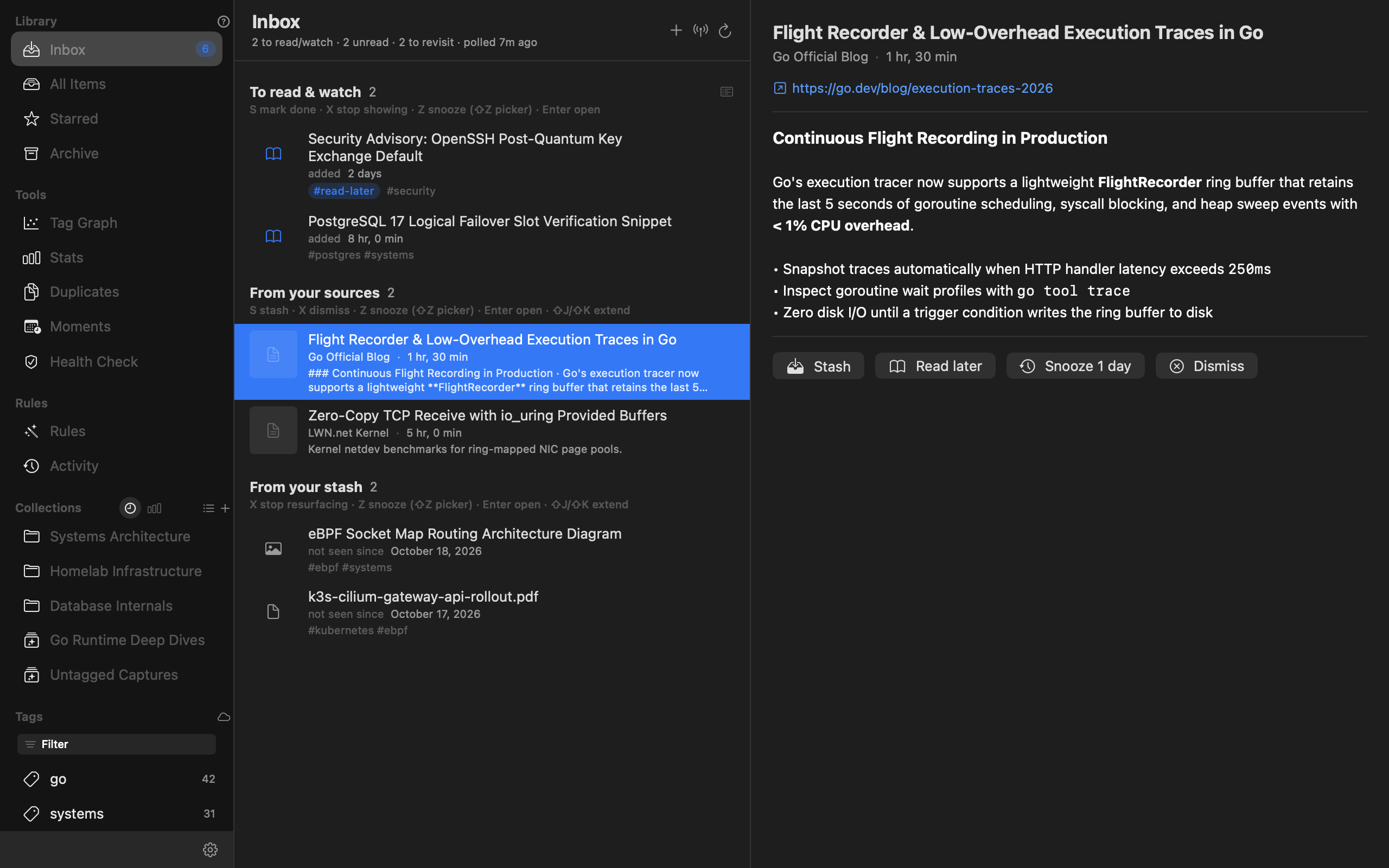
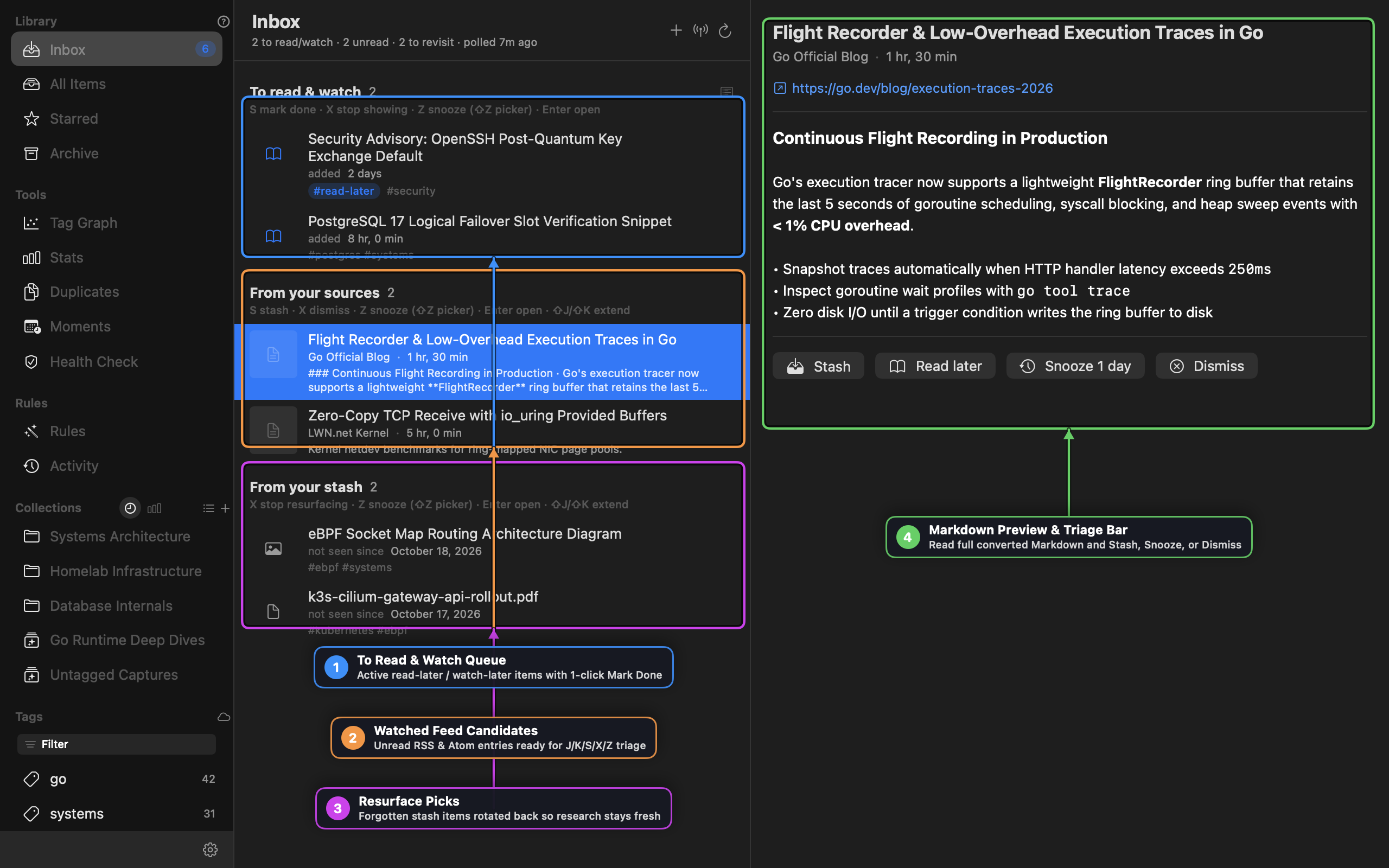
Keep your permanent library clean by routing incoming articles and videos through the Unified Triage Inbox (Inbox in the sidebar) using single-key shortcuts (J/K/S/X/Z).
Steps
- Select Inbox in the top-left sidebar and click
+(Add a feed) in the Inbox header to subscribe to an RSS or Atom feed (for example,https://go.dev/blog/feed.atomorhttps://lwn.net/headlines/rss). - Create a companion Capture Rule so YouTube links captured from anywhere automatically enter your To read & watch queue:
- name: youtube-watch-later
  description: Queue YouTube technical talks into watch-later
  enabled: true
  match:
    domain: youtube.com
  actions:
    - add_tags:
        - video
        - watch-later
- In the Inbox, use the keyboard cursor to process all three sections without touching the mouse:
- Press
J/Kto move down and up through rows (or⇧J/⇧Kto select a range). - In From your sources, read the converted Markdown preview in the right pane:
- Press
Sto stash the article into your library and tag it#read-later. - Press
Zto snooze it for 1 day (or⇧Zto pick1h,6h,3d, or1w). - Press
Xto dismiss it permanently.
- Press
- In To read & watch, once you finish reading a stashed article, press
S(Mark Done) to strip#read-laterwhile keeping the item archived in your permanent library.
- Press
Recipe 3: Precision Search with Token Filters, RE2 Regex & Smart Collections
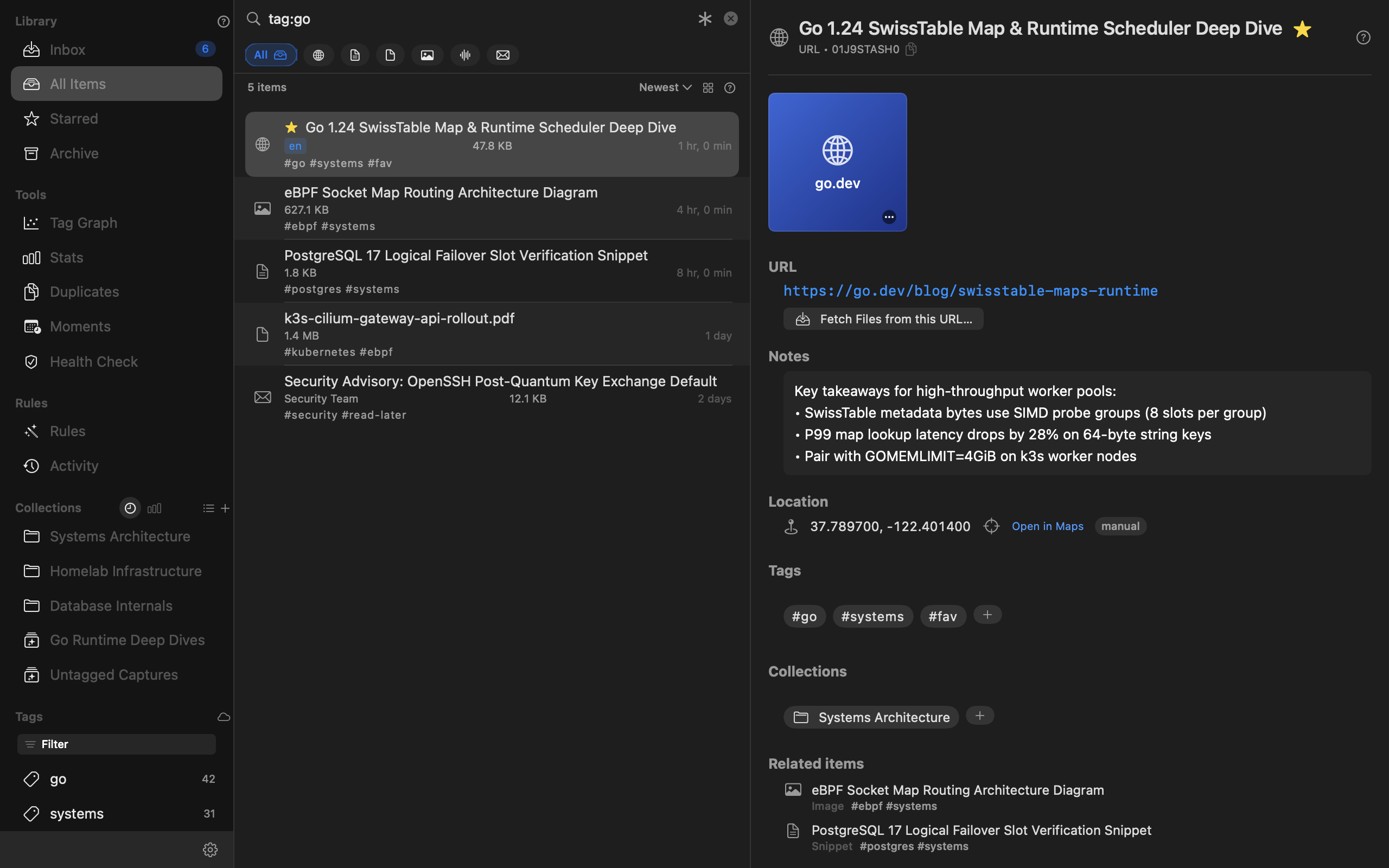
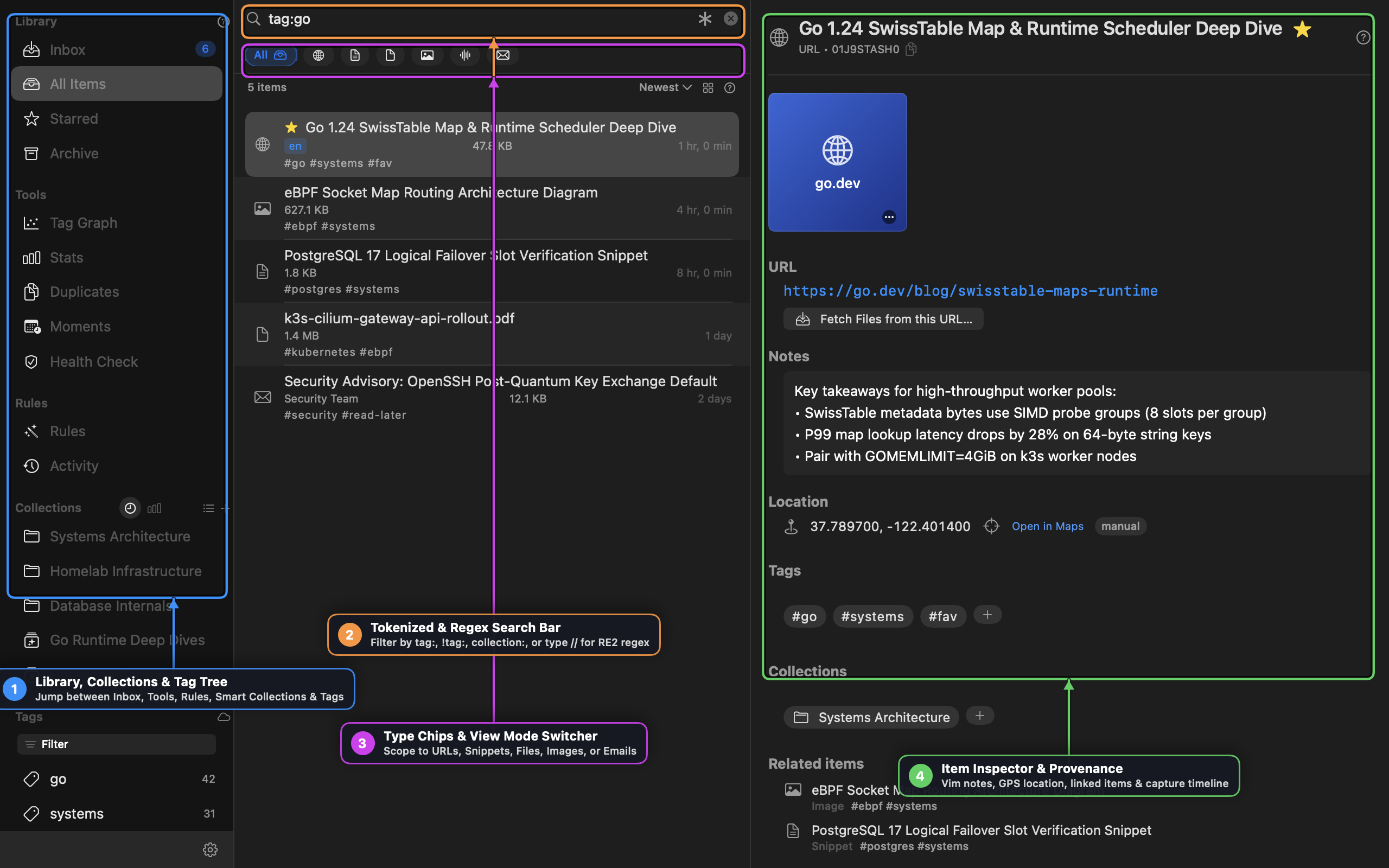
Combine Stash’s Token Grammar with RE2 Regular Expressions (//) to slice through thousands of items in milliseconds, then save the query as a live Smart Collection.
Steps
- Press
⌘Fto focus the search bar in All Items (or⌘Kfor the Quick Search palette). - Press
Tabwith an empty or partial token to open the Stash auto-suggest dropdown, useTab/↓to highlighttag:, and pressEnterto chain immediately into tag value suggestions. - Combine positive tags, negated tags (
!tag:), and an RE2 regular expression (//):
tag:systems !tag:archived //(?i)(swisstable|io_uring|ebpf)\s+latency
- To turn this filter into a self-updating Smart Collection:
- Click
+next to Collections in the sidebar and choose Smart Collection. - Name it
Low-Latency Systems Research, set the query and tag filters, and click Save. - Stash pins your 3 most recent and 3 most frequent collections directly in the sidebar and exposes the full list via All (N) ▸.
- Click
Recipe 4: Turning Whiteboard & Diagram Bursts into Collections with Moments
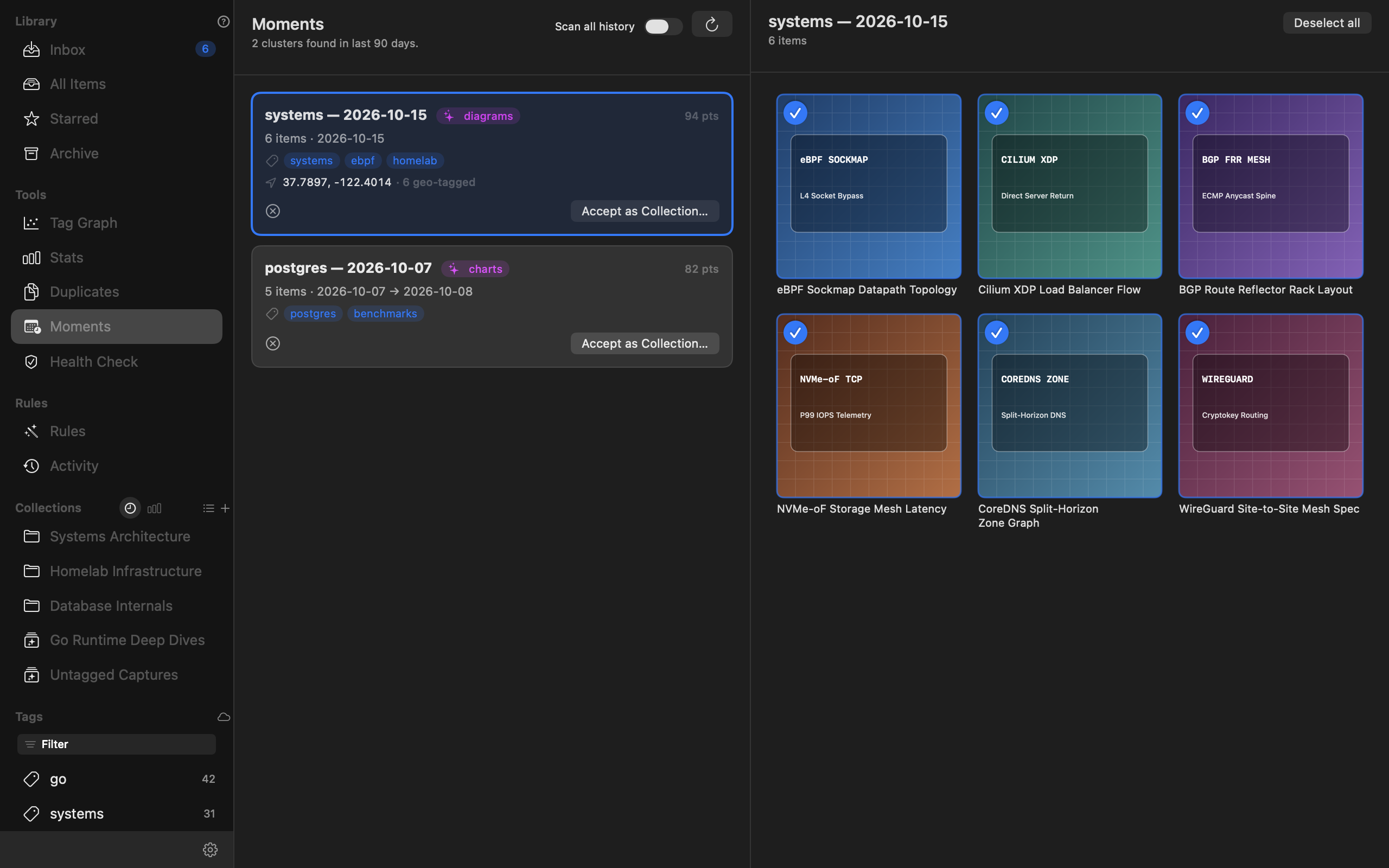
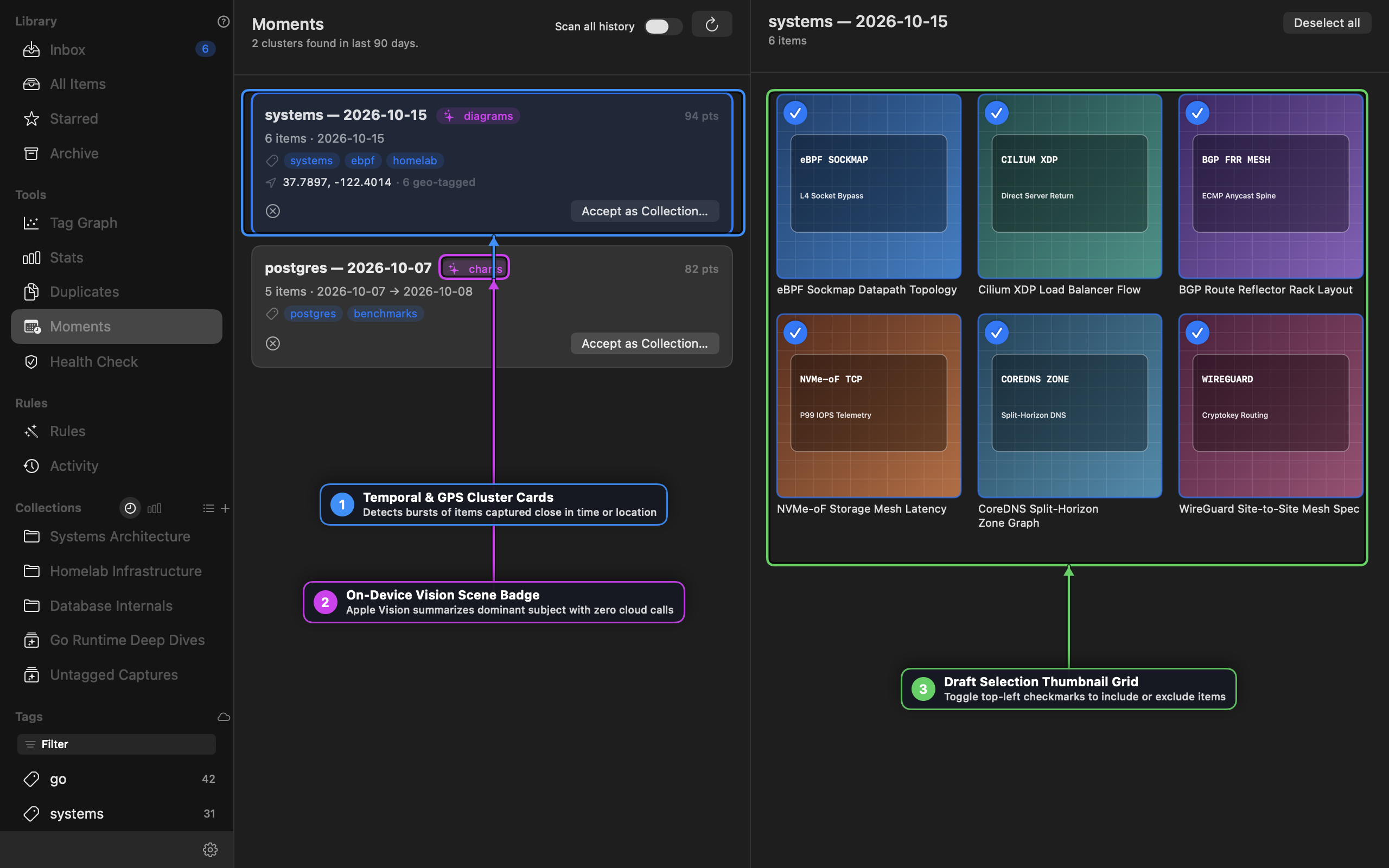
When you capture a burst of architecture diagrams, screenshots, or field photos during a session, use Moments to cluster them by timestamp, GPS coordinates, and on-device Apple Vision scene classification.
Steps
- Open Tools → Moments in the left sidebar.
- Review the detected cluster cards. Each card shows:
- The time window and item count
- Shared tags and GPS centroid coordinates (when geo-tagged)
- An on-device Apple Vision Scene Badge (such as
✨ diagramsor✨ charts) computed locally with zero cloud calls
- Click a Moment card to inspect its thumbnails in the right-hand Draft Selection Grid.
- Click the blue checkmark badge in the top-left corner of any thumbnail tile to exclude outliers from the draft.
- Click Accept as Collection…, confirm or edit the suggested collection name (e.g.,
systems — 2026-10-15), and click Create.
Recipe 5: Multi-Track Interview Cleanup with Audio X-Ray
When you stash a multi-channel voice recording, podcast raw track, or meeting capture (type=file, audio/*), use Audio X-Ray in the Item Detail pane to align speaker levels and gate background room noise in real time.
Steps
- Select any audio item in your library to open the Item Detail Inspector.
- Click Audio X-Ray below the transport bar to expand the multi-track waveform and DSP workbench.
- Choose the mixing mode:
- Adaptive Switcher — Dynamically ducks inactive channels so cross-talk and room echo disappear when one speaker is talking.
- Simple Linear Mix — Sums tracks with independent per-channel gain trims.
- Fine-tune the real-time DSP sliders while listening (
Spaceto play/pause):- Noise Floor Gate — Attenuates low-level hum below your dB threshold.
- Voice Threshold — Controls how aggressively the Adaptive Switcher opens a speaker’s channel.
- Speech EQ — Applies vocal presence shaping for clearer spoken-word playback.
- Click any speaker marker on the timeline to jump directly to that turn in the conversation.
Recipe 6: Vim Modal Editing & Slash Commands in Notes and Rules
Edit research notes and ~/.stash/rules.yaml without leaving the home row using Stash’s built-in Vim engine and dynamic / slash command bar.
Steps
- Open Settings → Appearance (
⌘,) and verify Enable Slash Commands and Enable Vim Mode Support are toggled on. - Click into any item’s Notes field (or the Rules YAML Editor):
- Notice the editor starts in standard macOS editing mode (
VIM=OFF) with a subtle:_watermark in the bottom-right corner.
- Notice the editor starts in standard macOS editing mode (
- Activate Vim Normal Mode in either of two ways:
- Click the bottom-right
:_watermark, or - Type
/vimat the start of a line and pressEnter.
- Click the bottom-right
- Use standard Vim motions (
h/j/k/l,w/b,ciw,dd,yy,p,/search,vfor Visual Mode) while the top-rightVIM:N/VIM:I/VIM:Vbadge tracks your mode. Click?on the badge at any time to view the built-in Vim cheatsheet. - Type
/at the start of any line to open the dynamic slash command bar (Tabto cycle,Enterto run):/sortfollowed by/dedupto clean up a pasted list of hostnames or URLs/trimto strip stray whitespace/sumor/tagsto generate a concise summary or tag suggestions
Recipe 7: 1Password op:// Secret References & CLI Automation
Keep API keys out of plaintext config files by pairing Stash’s AI Identify engine with 1Password op:// secret references, and script bulk captures from the terminal.
Steps
- Open Settings → AI (
⌘,) and select your provider (Gemini or Claude). - Instead of pasting a raw API key, enter a 1Password secret reference URI:
op://Private/Gemini-API/credential
- Stash resolves the secret on demand via the 1Password CLI (
op read) and tracks daily token and cost usage in the Settings pane. - From any terminal or script, use the
stashCLI against the exact same~/.stashdatabase and rules pipeline:
# Capture a URL with explicit tags and notes
stash add https://go.dev/blog/swisstable-maps-runtime \
  --tags go,systems \
  --collection "Systems Architecture" \
  --note "SIMD probe groups benchmark reference"

# Run a full-text + tag query from the terminal
stash search "SwissTable" --tag go

# Check filestore and SQLite FTS5 health
stash check