PackIt Practical Cookbook & Recipes
Step-by-step practical recipes and power workflows for PackIt.
Step-by-step workflows for designing modular gear templates, running countdown prep timelines, planning multi-day camp meals, sharing trips with family or teammates, and automating backups with packit-backup.
View on GitHub 📖 Open User Guide →
Recipe 1: Designing Modular Composite Templates
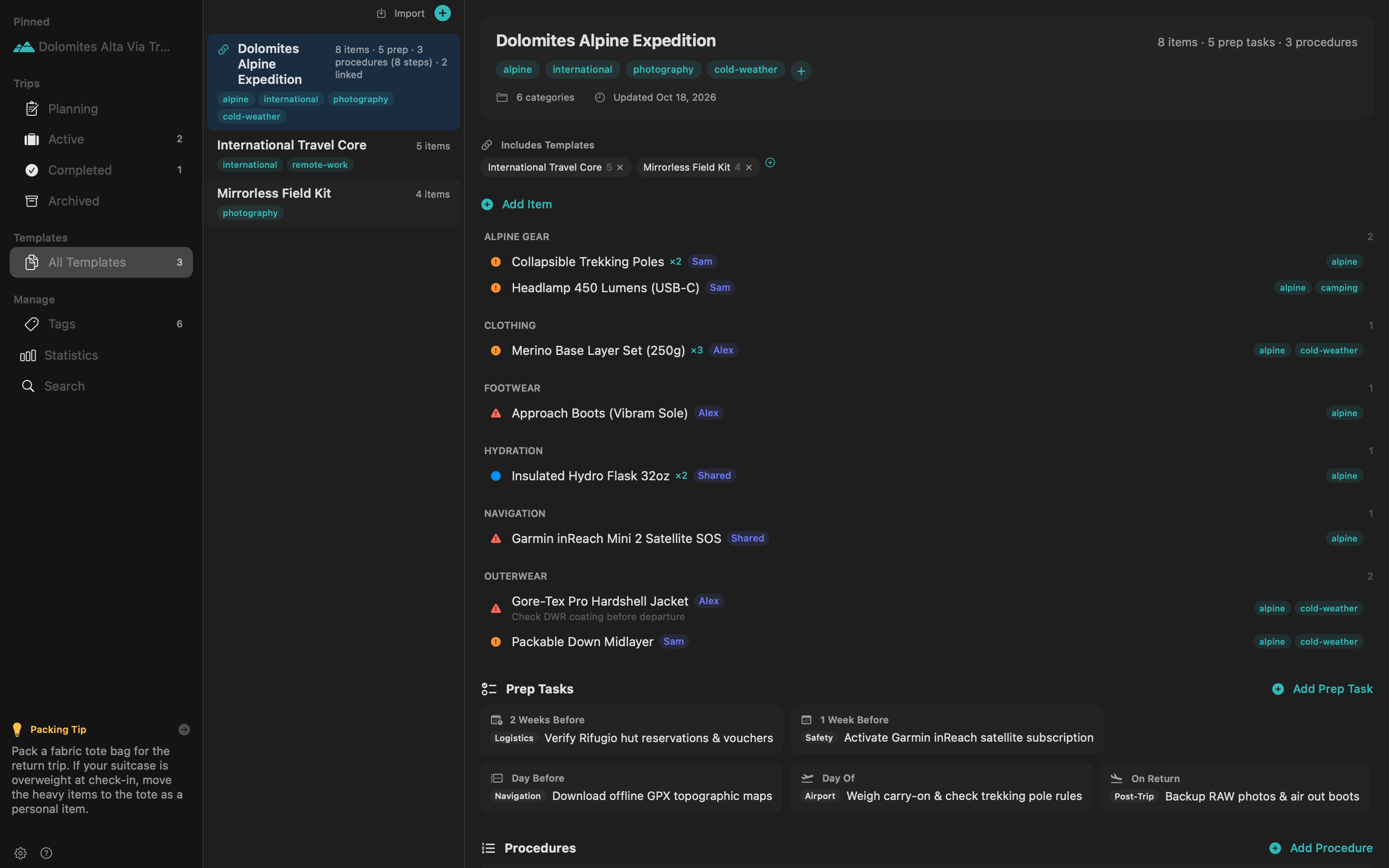
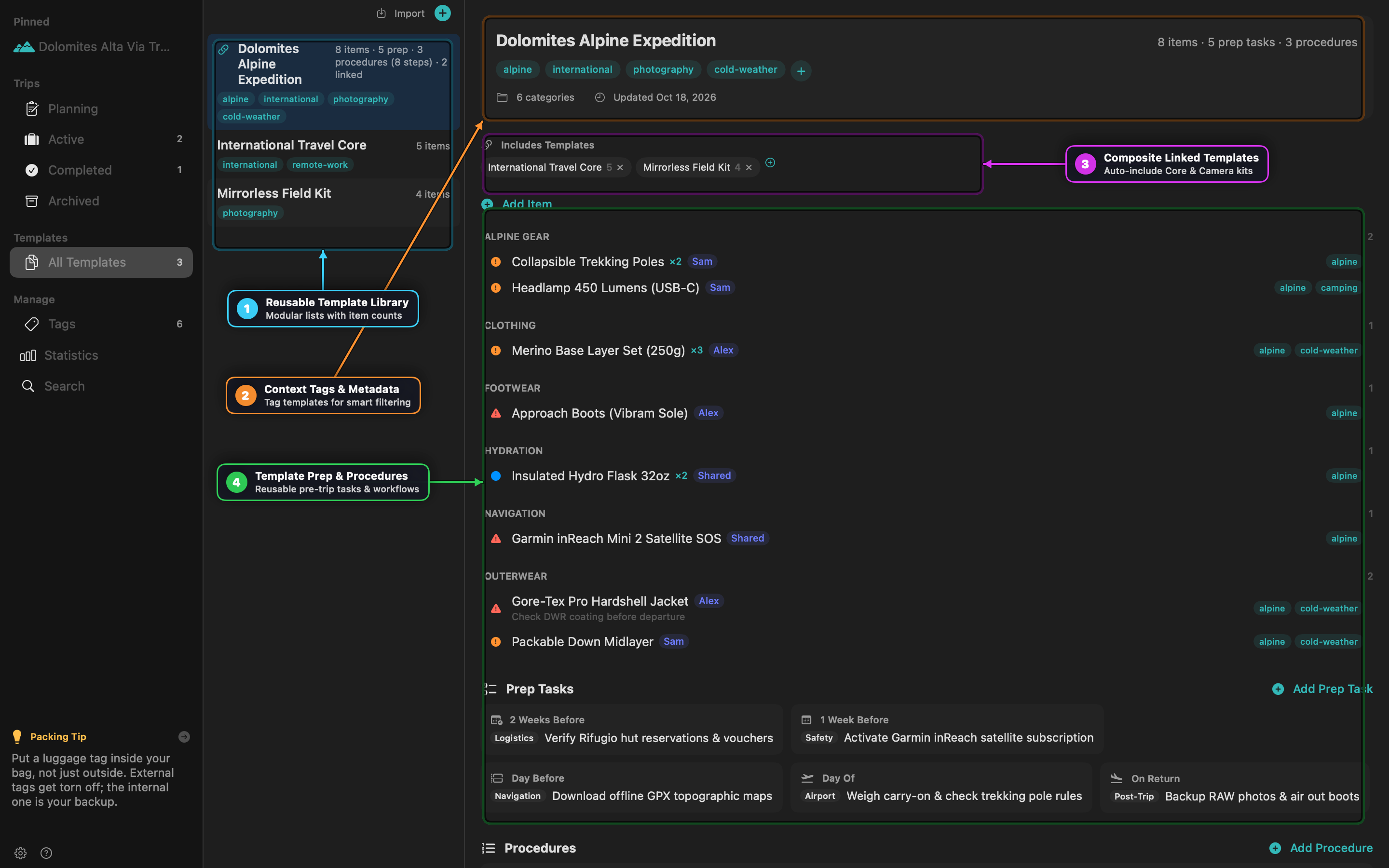
Instead of maintaining one giant packing list per destination, split your gear into Core Sub-Templates and link them into Composite Templates.
Steps
- Create Reusable Sub-Kits (
Cmd+Shift+N):- Create International Travel Core containing documents (
Passport & Global Entry Card), power (Universal GaN 100W Adapter), and medical basics. - Create Mirrorless Field Kit containing camera bodies, lenses, CFexpress cards, and tripod.
- Create International Travel Core containing documents (
- Create the Master Activity Template:
- Create Dolomites Alpine Expedition and add activity-specific items (
Gore-Tex Pro Hardshell,Approach Boots,Garmin inReach Mini 2).
- Create Dolomites Alpine Expedition and add activity-specific items (
- Link Sub-Templates:
- In the Includes Templates bar of Dolomites Alpine Expedition, click
+and select International Travel Core and Mirrorless Field Kit.
- In the Includes Templates bar of Dolomites Alpine Expedition, click
- Launch a Trip (
Cmd+N):- Select Dolomites Alpine Expedition when creating your trip. PackIt automatically pulls in every item, prep task, and procedure from the master template and all linked sub-templates, deduplicating any overlapping item names.
Recipe 2: Context-Tag Filtering for Seasonal & Multi-Activity Trips
Use Context Tags so a single template adapts automatically to summer vs. winter or solo vs. family travel.
Steps
- Tag Items by Condition:
- In your template, tag insulated layers and gloves with
cold-weather. - Tag swimwear and reef sunscreen with
warm-weather. - Leave universal items (
Toothbrush,Phone Charger) untagged.
- In your template, tag insulated layers and gloves with
- Filter at Trip Creation (
Cmd+N):- Enable Filter by context tags in the New Trip sheet.
- Select
cold-weatherandphotography. - PackIt includes all untagged universal items plus only the tagged items matching your selection, keeping warm-weather gear out of your winter checklist.
Recipe 3: Managing 6-Tier Countdown Prep Tasks & Phase Procedures
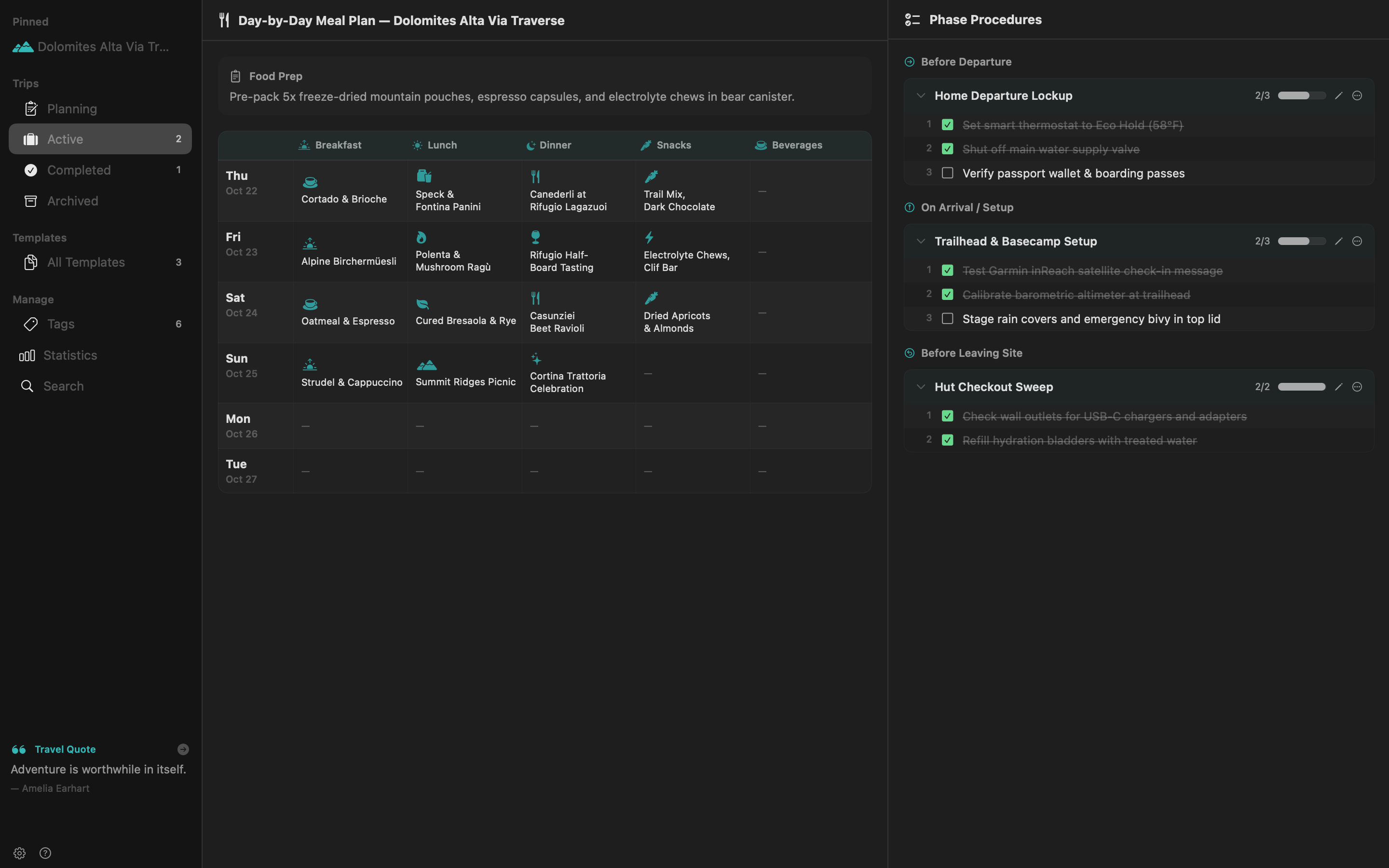
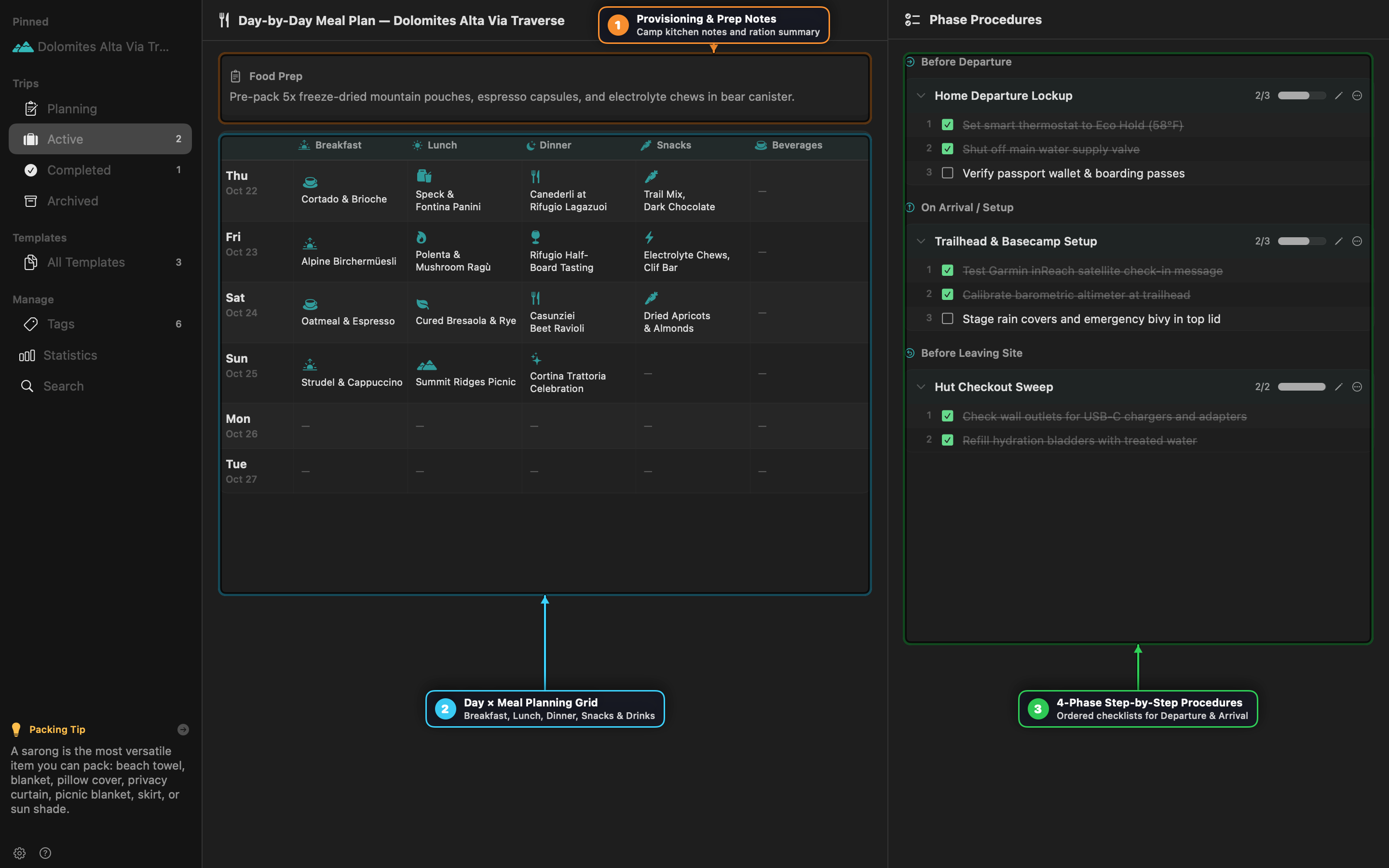
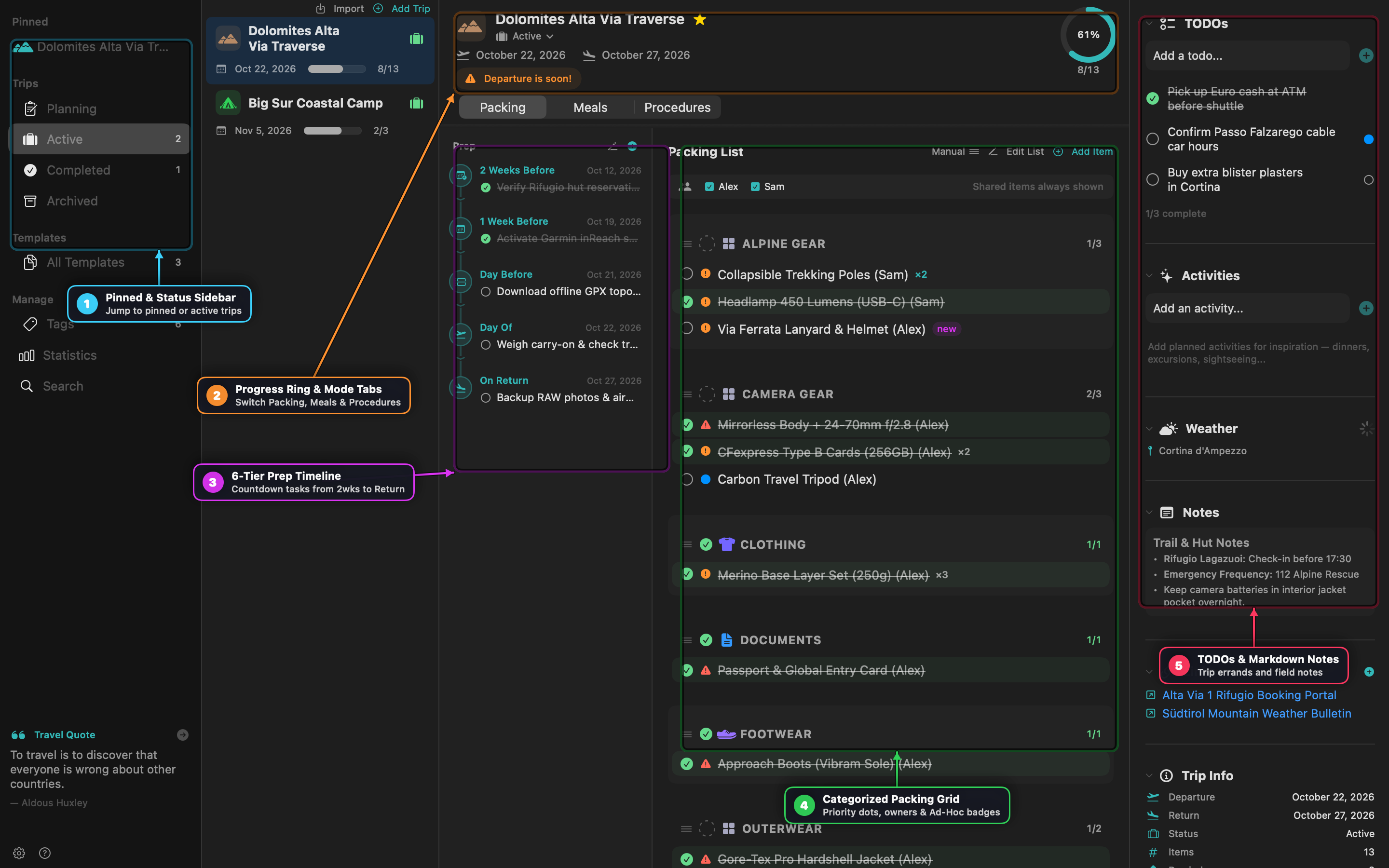
Packing is only half of trip readiness. Use Prep Tasks for calendar countdown errands and Procedures for sequential departure/arrival checklists.
Steps
- Attach Countdown Prep Tasks to Templates:
- Add tasks to any of the six timing tiers:
- Early (-21d): Renew wilderness permits
- 2 Weeks Before (-14d): Confirm hut reservations
- 1 Week Before (-7d): Activate satellite SOS plan
- Day Before (-1d): Download offline topo maps & check in
- Day Of (0d): Weigh carry-on luggage
- On Return: Ingest RAW photos & dry boots
- If your trip dates shift, PackIt automatically recalculates every task’s due date.
- Add tasks to any of the six timing tiers:
- Execute 4-Phase Procedures:
- Switch the trip view to Procedures.
- Step through Before Departure (Shut off main water valve, Set thermostat to Eco Hold), On Arrival / Setup, Before Leaving Site, and On Return Home in strict sequence.
Recipe 4: Multi-Traveler Packing & Bulk Owner Assignment
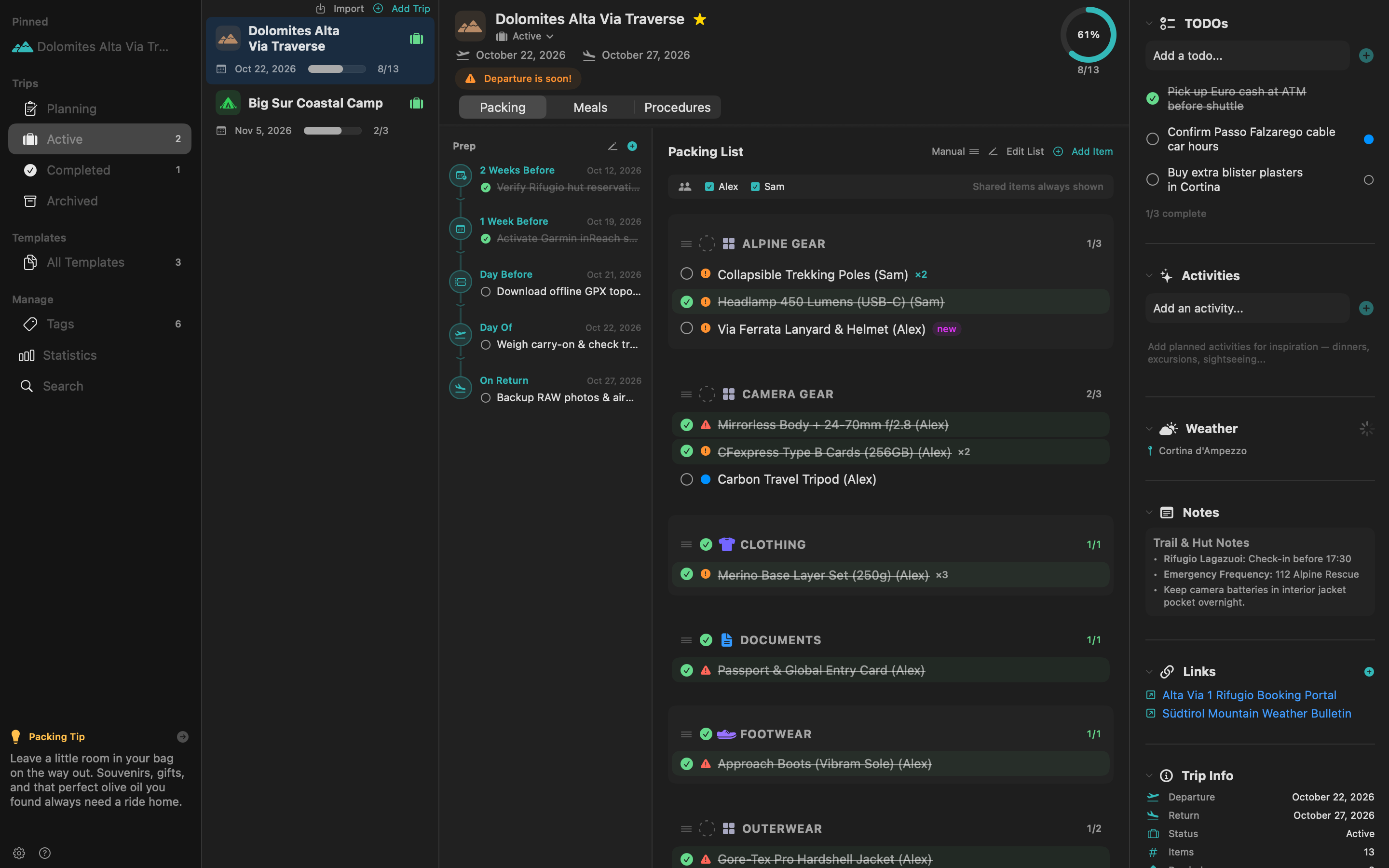
Coordinate packing across partners or family members without duplicating templates.
Steps
- Add Trip Members:
- In the New Trip sheet (or Trip Edit sheet), add travelers (
Alex,Sam,Shared).
- In the New Trip sheet (or Trip Edit sheet), add travelers (
- Bulk Assign or Duplicate (
Cmd+Click):- Hold
Cmdand click multiple items across categories to open the floating bulk action bar. - Click Owner to assign selected items to
Sam, or click Duplicate For… to create personal copies of essentials (e.g., Merino Base Layer Set) for each traveler.
- Hold
- Filter by Traveler:
- Click
AlexorSamin the member filter bar (or pressCmd+Fand typeowner:Sam packed:no) to see only that person’s remaining unpacked gear.
- Click
Recipe 5: Promoting Last-Minute Ad-Hoc Items Back to Templates
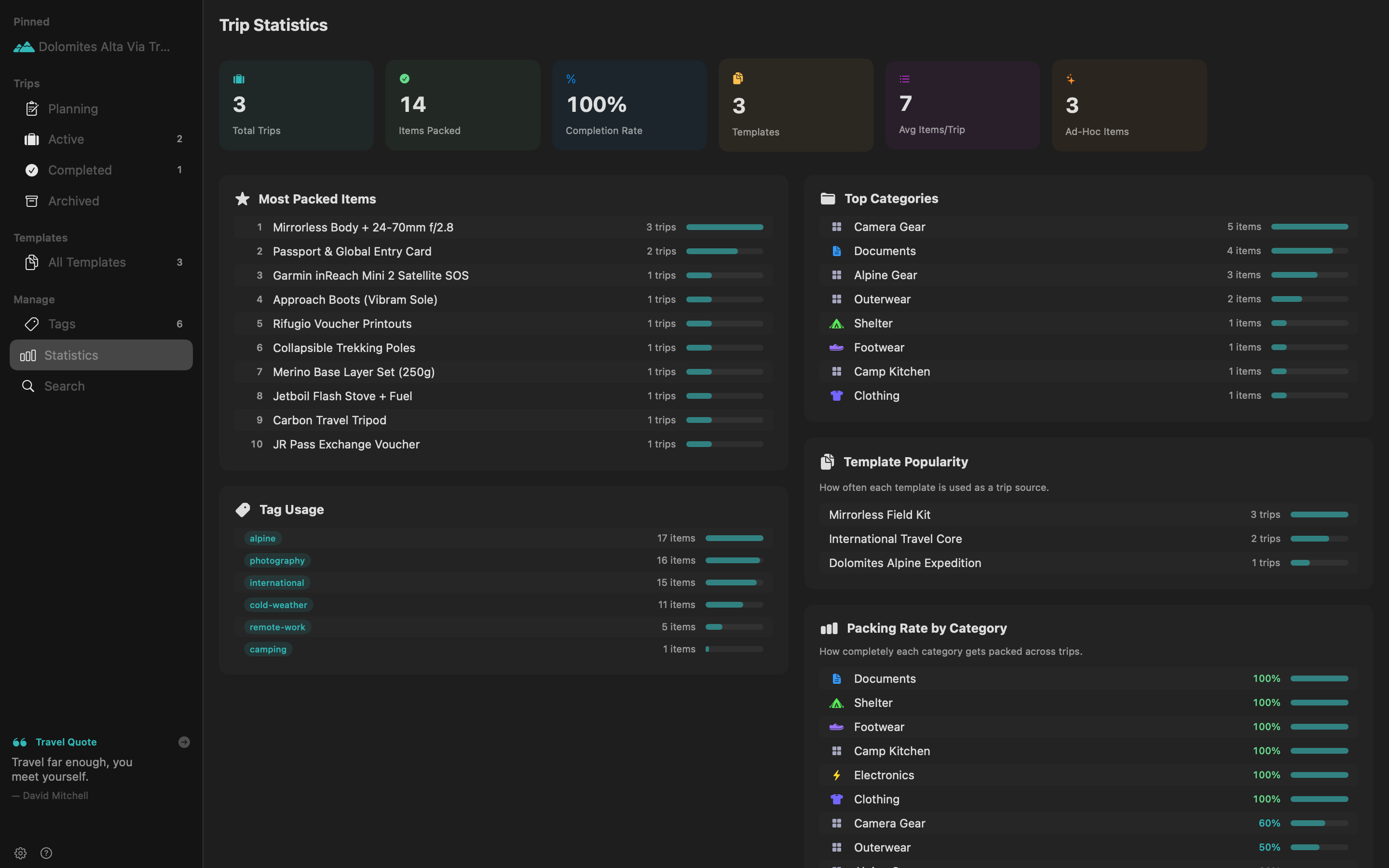
Items added directly to a trip are marked with a teal new (Ad-Hoc) badge so your master templates stay clean until you decide an item is worth keeping permanently.
Steps
- Add Ad-Hoc Gear During a Trip:
- Type a new item into the quick-add bar inside an active trip (e.g.,
Via Ferrata Lanyard & Helmet).
- Type a new item into the quick-add bar inside an active trip (e.g.,
- Promote Single or Multiple Items:
- Right-click any item with a
newbadge and choose Merge to Template…, or click the toolbar Merge Ad-Hoc Items button to batch-promote new discoveries into your chosen template.
- Right-click any item with a
- Audit Frequent Ad-Hoc Additions:
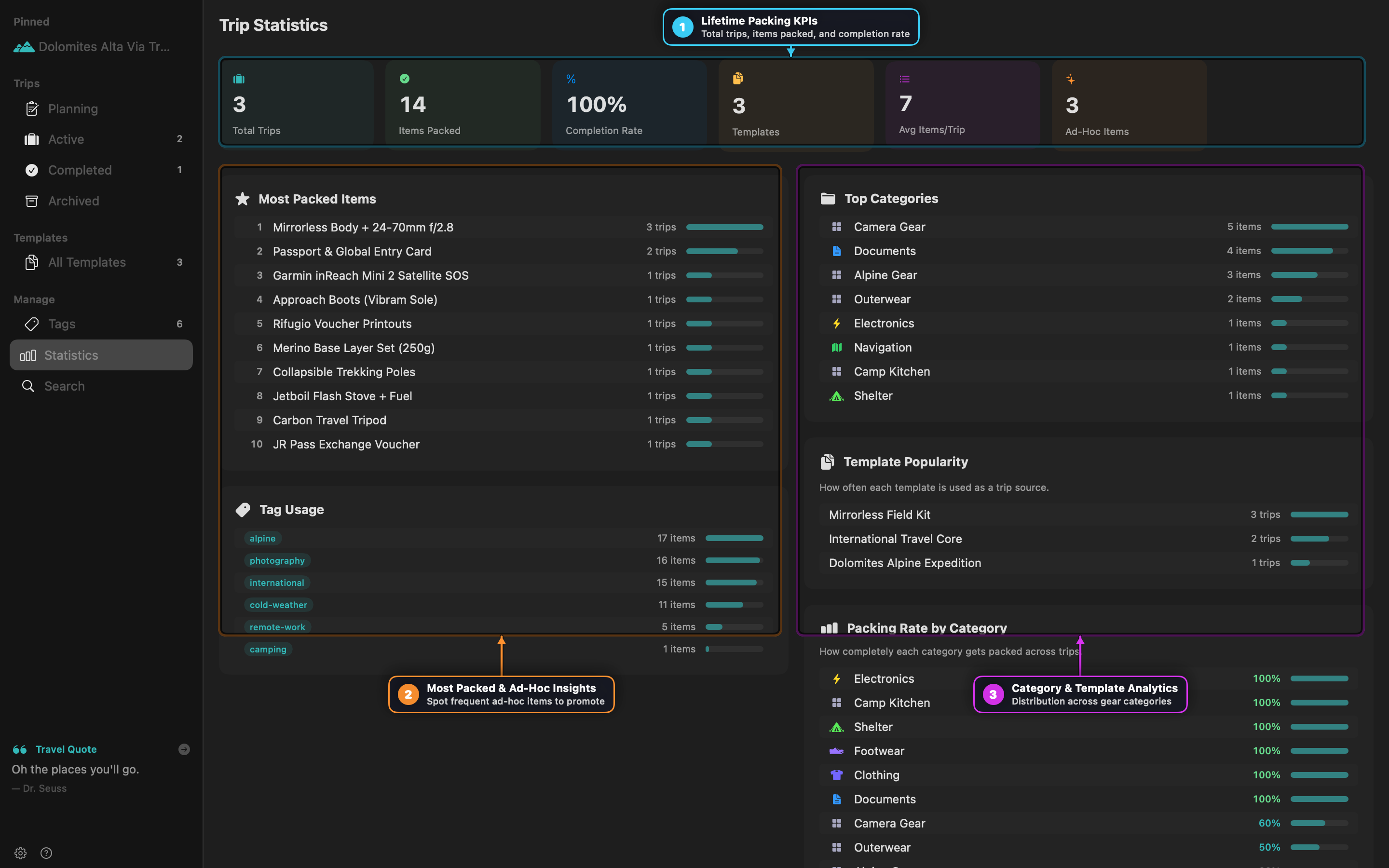
- Open Statistics in the sidebar and review the Ad-Hoc Insights card to spot items you repeatedly add at the last minute across multiple trips.
Recipe 6: Selective Folder Sharing & Conflict Resolution
Share specific trips or templates with a travel partner via iCloud Drive, Dropbox, or Syncthing while keeping the rest of your library private.
Steps
- Configure Shared Folder (
Cmd+,):- Open Settings -> Sharing, set your Display Name, and choose a synced folder on disk.
- Share Selectively:
- Right-click a trip or template and select Share to Folder. A Sharing badge appears on the item.
- Resolve Simultaneous Edits Safely:
- If two people edit the same trip before sync completes, PackIt displays a Conflict Banner at the top of the trip showing both versions side-by-side so you can choose Keep Mine or Accept Theirs.
Recipe 7: Automated CLI Backups with packit-backup
Automate daily or pre-trip snapshots using the bundled packit-backup command-line tool.
# 1. Create a compressed backup in the default backups directory
packit-backup backup

# 2. Inspect existing backup archives
packit-backup list

# 3. Prune older archives, keeping the latest 15 snapshots
packit-backup prune --keep 15

# 4. Restore a snapshot (automatically saves a pre-restore safety backup first)
packit-backup restore ~/Library/Application\ Support/PackIt/Backups/packit-backup-2026-10-18.tar.gz